
SO-101: Kicking off a new series
SO-101, SO-Lamp (yet another robotic lamp), and a tiny duck-shaped detour
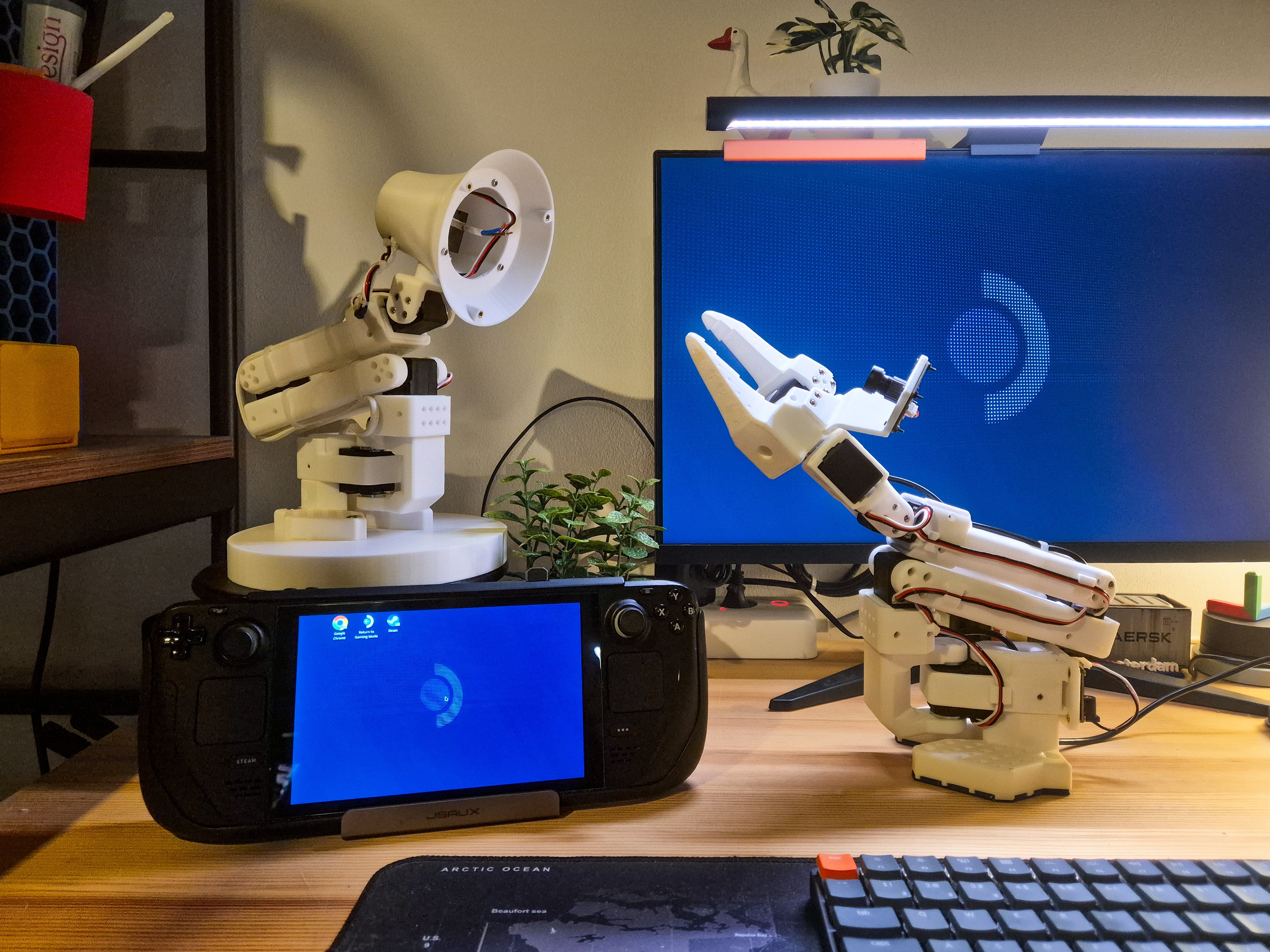
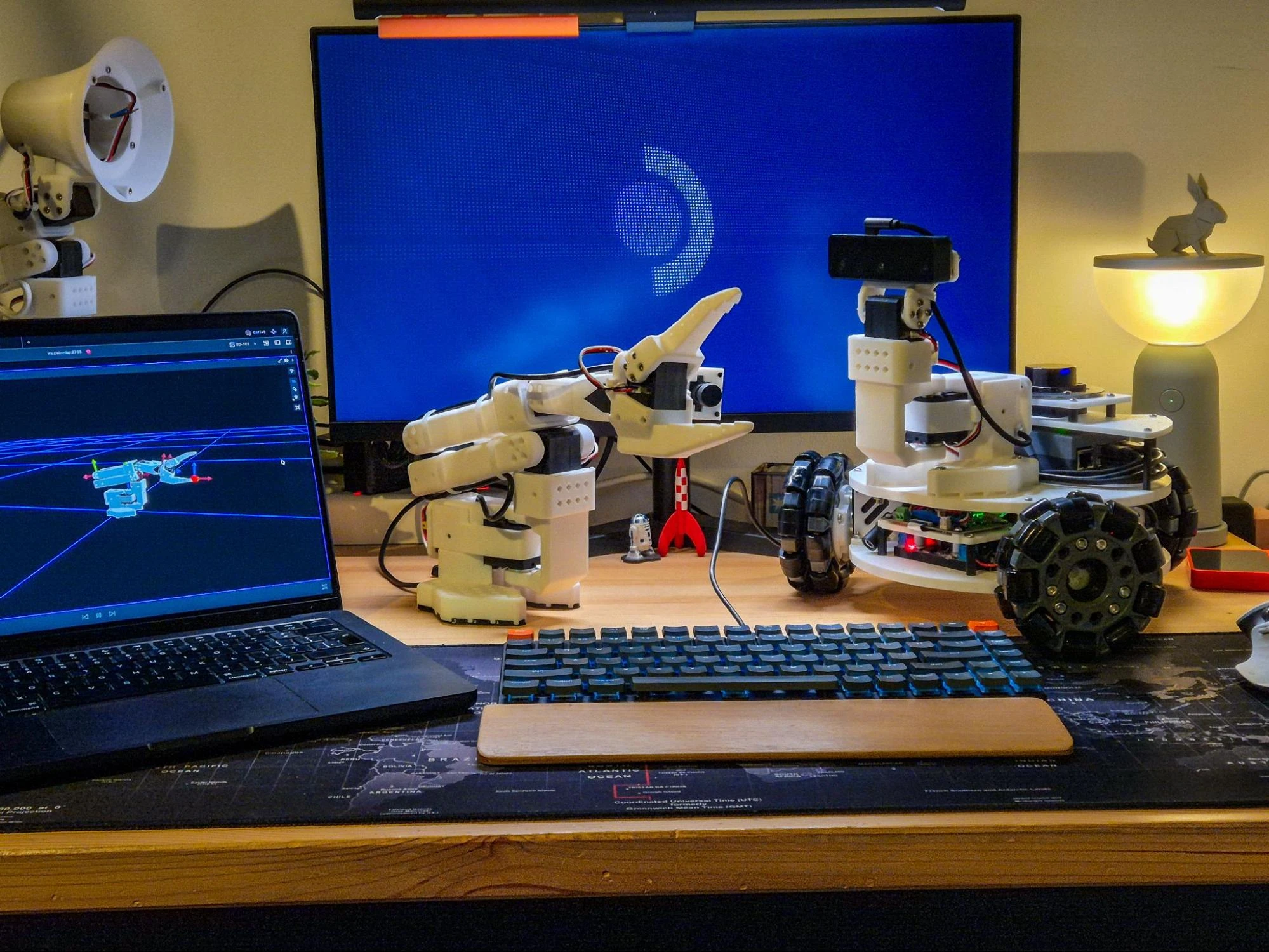
Back in my "6 months in" post, I mentioned an SO-101 arm was next on my list - it's finally here, and a lot's happened since: I got a wrist camera into the URDF, turned a second arm into a lamp, and convinced myself to buy a new bipedal robot along the way. It also kicks off a new series, much like LeKiwi, where once again, I'll be using ROS 2 and migrating the SO-101's software stack entirely off LeRobot, eventually working toward some Physical AI experiments. This post, however, is just about the hardware - the software side starts next.
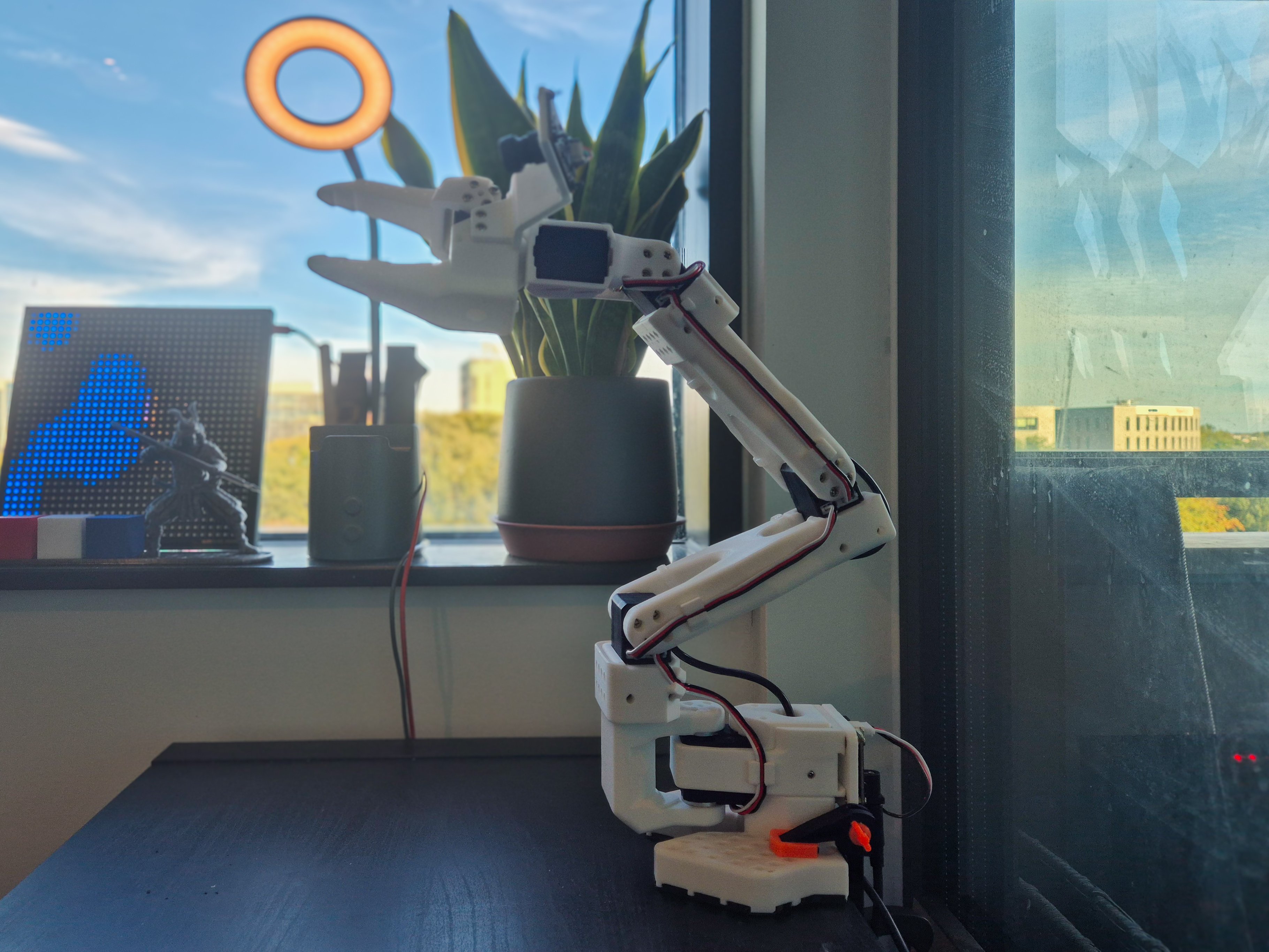
Building the SO-101
I had only built SO-100s before, so I went into this one expecting a familiar afternoon of fighting 3D-printed parts to get them to fit. Instead, it was noticeably easier - about 15 minutes, start to finish.
This wasn't just because I was familiar with the assembly - the design itself is more refined. There are fewer printed parts, the tolerances are better, and the fit and finish feel more polished out of the box. The cabling is simpler too: no more squeezing wires between printed parts, since everything now routes through dedicated channels built into the structure.
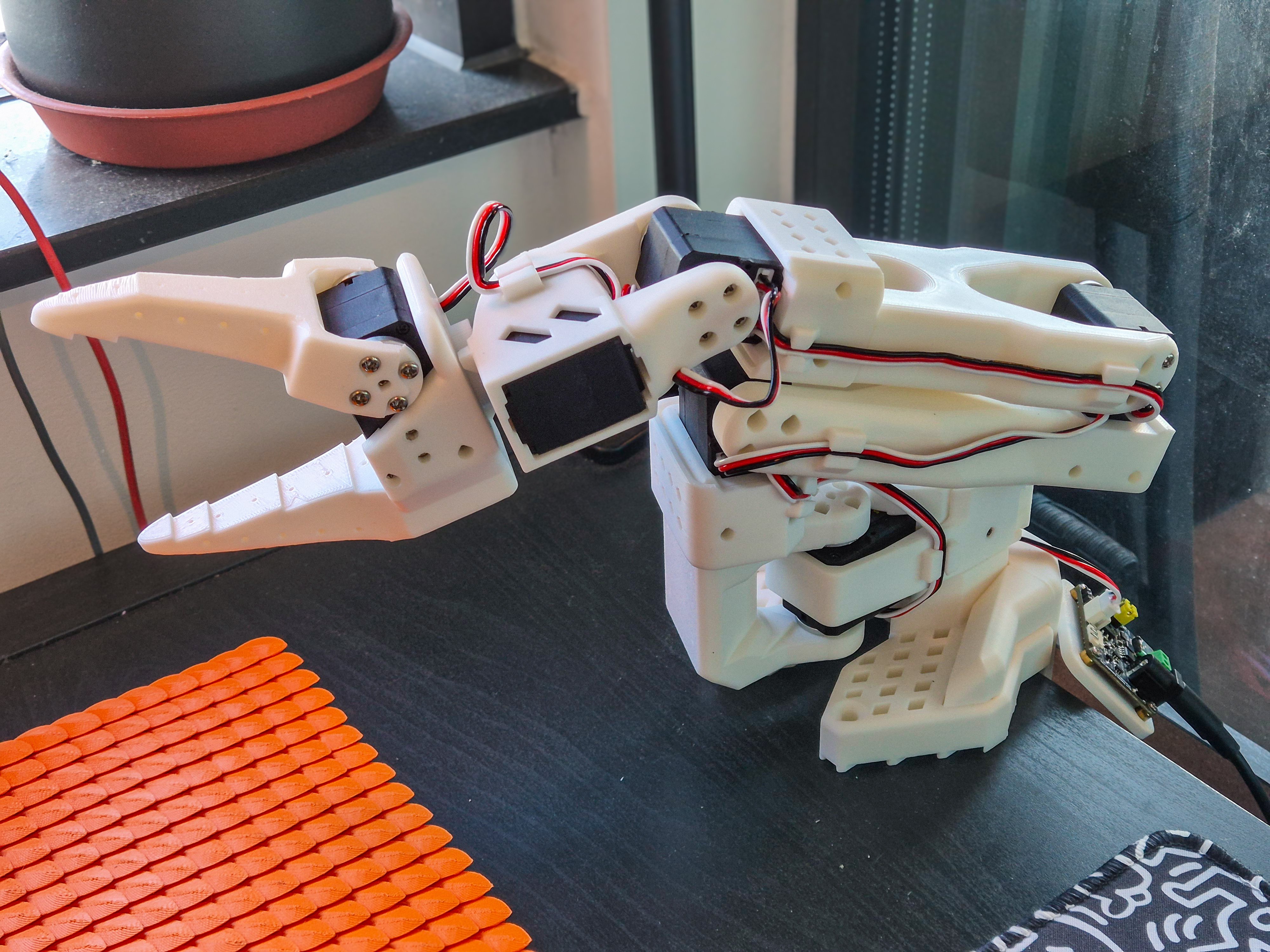
I have one complaint though: on the SO-100, the shoulder pan joint sits on a spare servo horn acting as a bearing of sorts; on the SO-101, it's just bolted to the pan motor and cantilevers freely - a bit of stability traded for easier assembly.
Not that I'm complaining; the SO-101 is genuinely a breeze to build. Kudos to The Robot Studio for an elegant redesign.
Updating the URDF
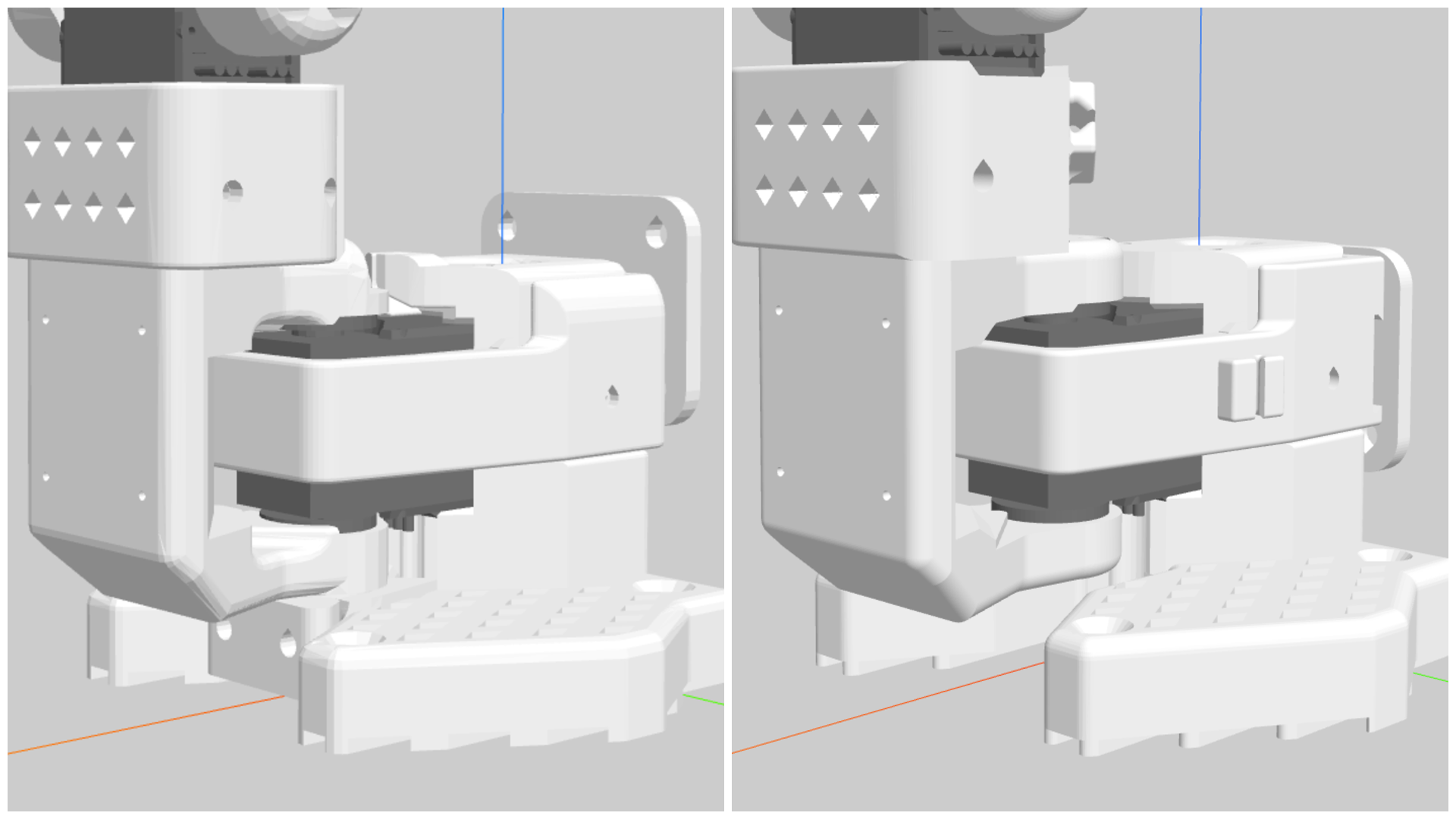
The SO-101's gripper has spaces for two hex nuts on the fixed jaw to mount accessories such as a wrist camera, with CAD files included in the SO-ARM100 repository. A wrist camera is super essential for most real applications of this arm, so it's a shame it's missing from the default URDF. I decided to fix that.
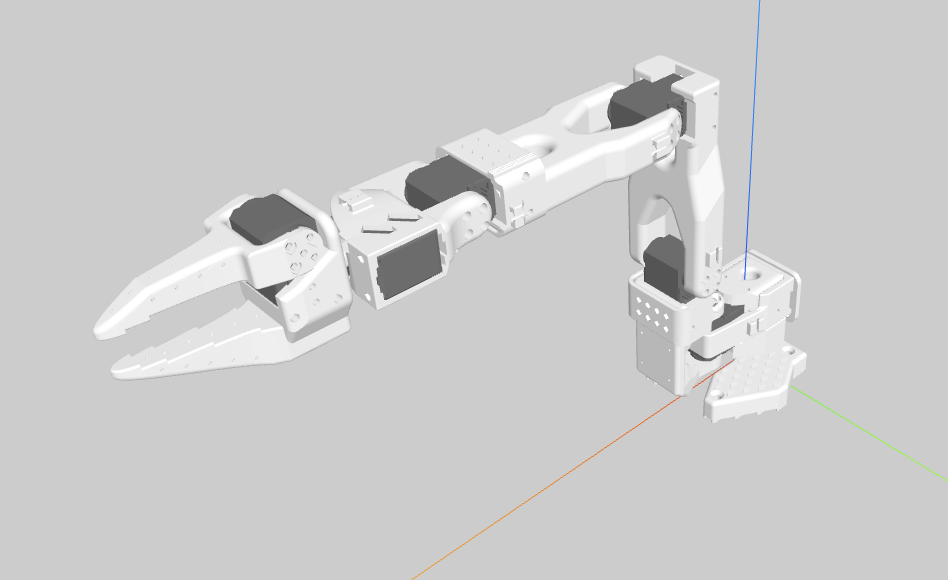
Getting the camera and mount into the URDF early mattered because I'm already planning self-collision checking down the line - whatever checker I build later depends on the robot's geometry from the URDF, so it needs to know that the wrist mount and camera exist from day one.
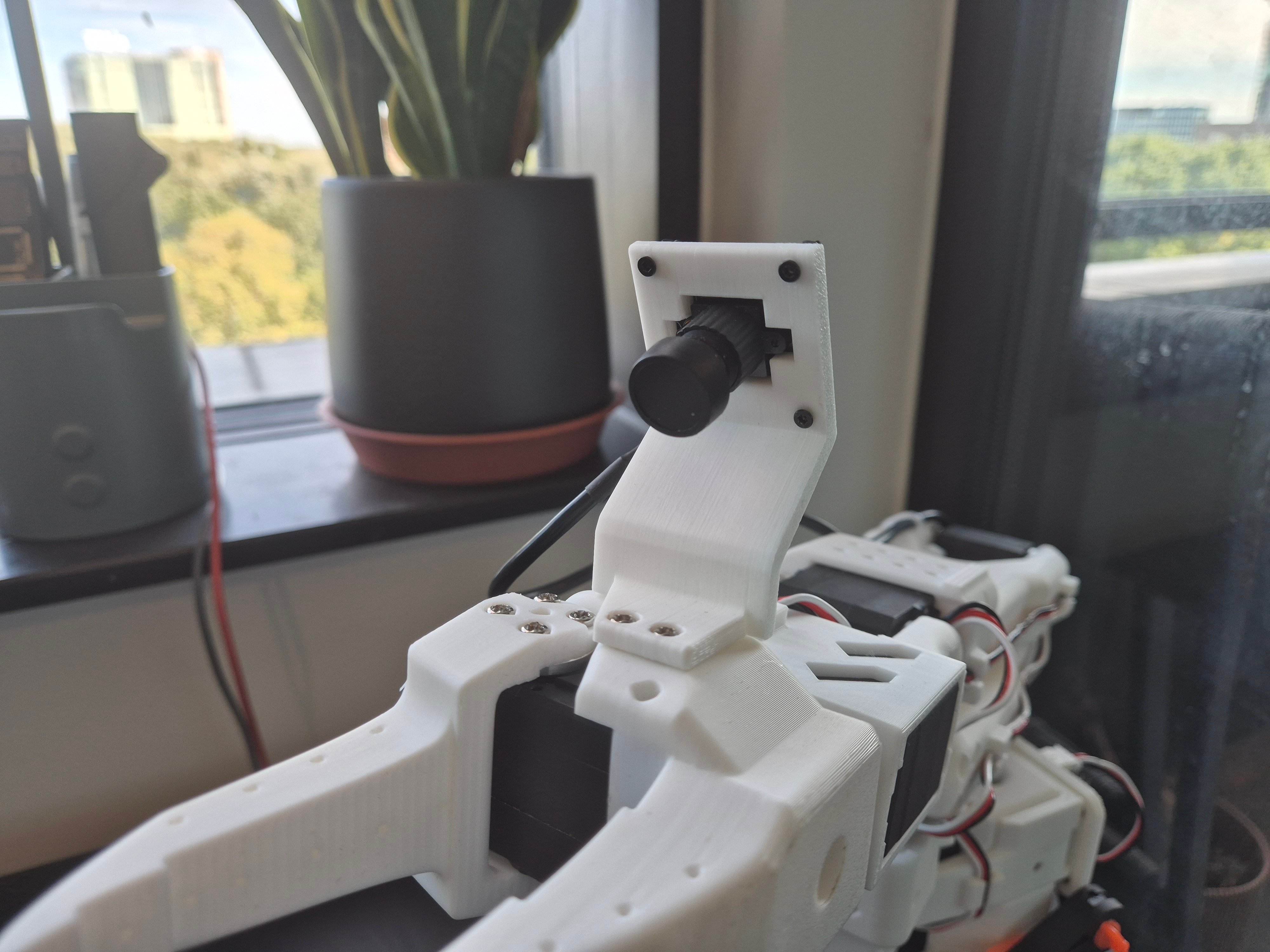
The mount mesh itself is straight from the SO-ARM100 repository - I didn't design it, just wired it into so101.urdf.xacro as a chain of fixed-joint links (wrist_camera_mount_link → wrist_camera_body_link → wrist_camera_frame → wrist_camera_optical_frame), ending in a proper REP-103 optical frame. SO-ARM100 doesn't ship a camera mesh, so I found one matching the camera I'm actually using - an Innomaker U20CAM-1080P, a plain UVC webcam - and added it as its own link next to the mount.
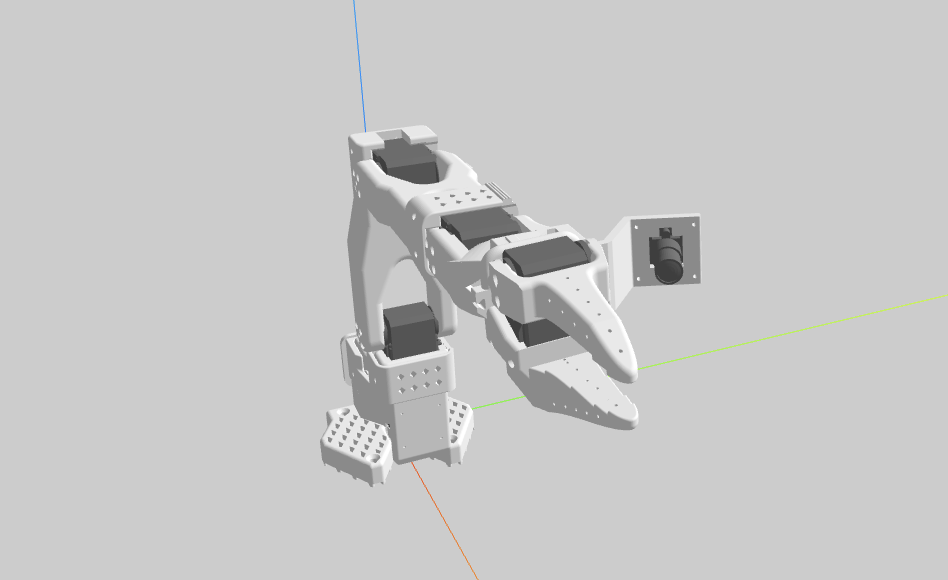
Now, I understand that not everyone wants a wrist camera, so the whole chain sits behind a wrist_camera_urdf xacro argument, on by default. Turn it off and the mount and camera links just aren't there - the self-collision checker only ever sees geometry that's actually part of the arm.
If you want to use this URDF, I've generated updated URDF and MuJoCo XML files for the SO-101 with the wrist camera integrated, and opened a PR here on the SO-ARM100 repository. The configurable Xacro files with the wrist_camera_urdf gating live in the so_arm_description package in the so_arm_ros2 repository.
Custom Wrist Camera Node
The obvious choice for a UVC camera on ROS 2 is usb_cam or v4l2_camera, both common ROS 2 packages, and either would have worked on Linux. But I want to ensure that so_arm_ros2's ROS 2 stack runs equally on my Raspberry Pi and my MacBook via Pixi and RoboStack, and neither of those Linux-only packages builds for Pixi's osx-arm64 target. I didn't want the wrist camera to be the one feature that only worked on the Pi, so I wrote a small generic driver instead: opencv_camera_node, built on cv2.VideoCapture rather than V4L2 directly. It picks the right backend per platform - V4L2 on Linux, AVFoundation on macOS - and otherwise doesn't care which one it's running on.
This custom node's design follows LeRobot's own OpenCVCamera: a daemon thread owns the blocking cv2.VideoCapture.read() call, and the non-blocking ROS publish timer just reads whatever frame is ready. That way a slow camera or a dropped frame never holds up the rest of the ROS graph. Another change compared to the standard ROS camera stack: neither image_transport nor camera_info_manager has Python bindings in this ROS 2 install, so rather than linking the C++ libraries from Python, the node publishes raw Image messages on image_raw directly and parses CameraInfo straight out of a standard camera_calibration-format YAML file itself.
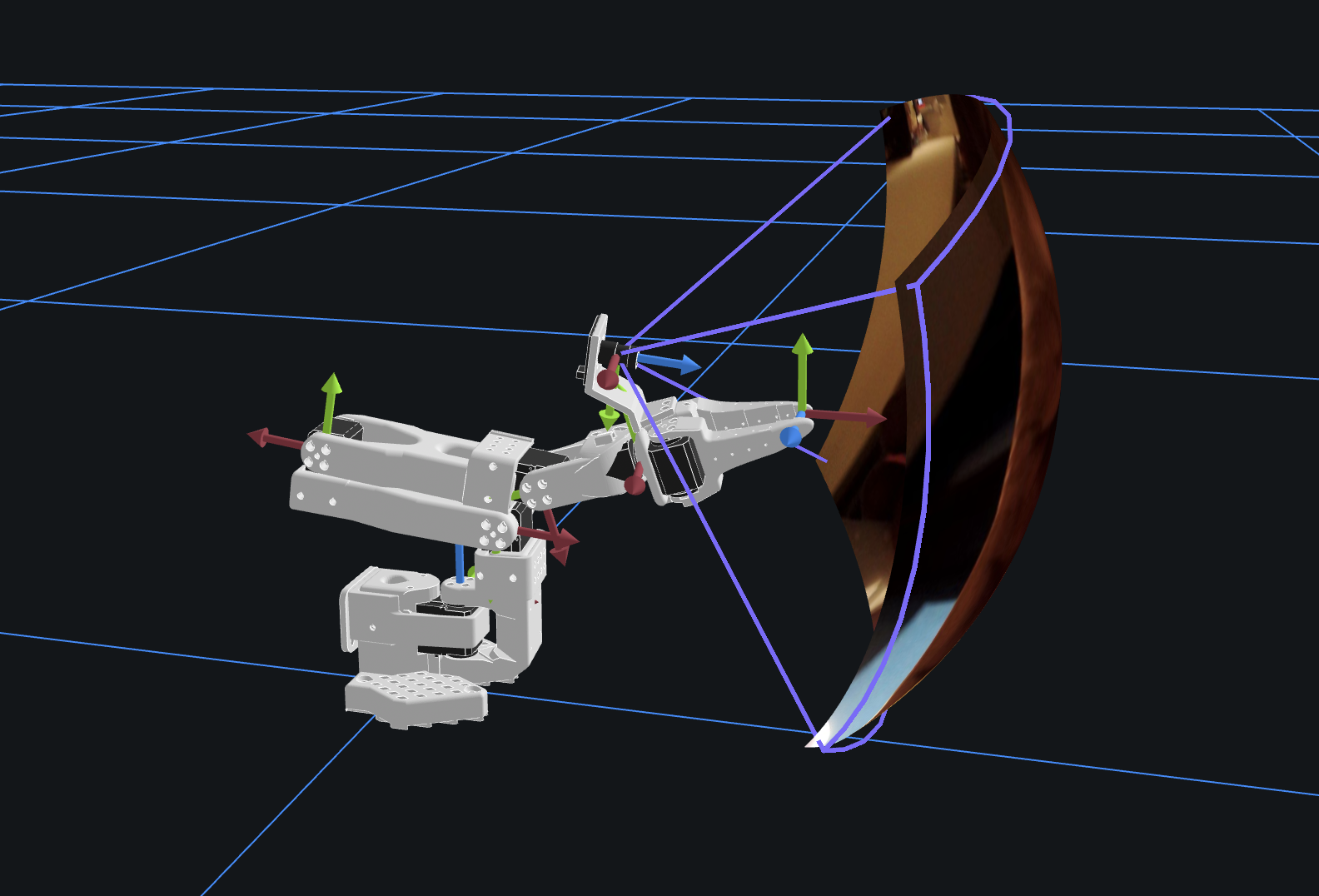
I tested it on my MacBook via Pixi, and it worked as expected. Still need to calibrate the camera and populate the real intrinsics YAML file, but the basic pipeline runs fine with a dummy calibration file for now.
SO-Lamp
I've been working with STS3215 motors long enough to have amassed a fair amount of them, so after finishing the SO-101, I built a second one - this time with a lamp where the gripper would go. I had a spare IKEA Strala lamp cord set lying around, and it seemed like a perfect fit.
I kept it simple: 4-dof, with the SO-101's wrist redesigned into a lamp mount. An afternoon of CAD and printing later, the mount was ready. I paired it with a spare E14 bulb and a shade from a 3D-printable lamp design I found online.
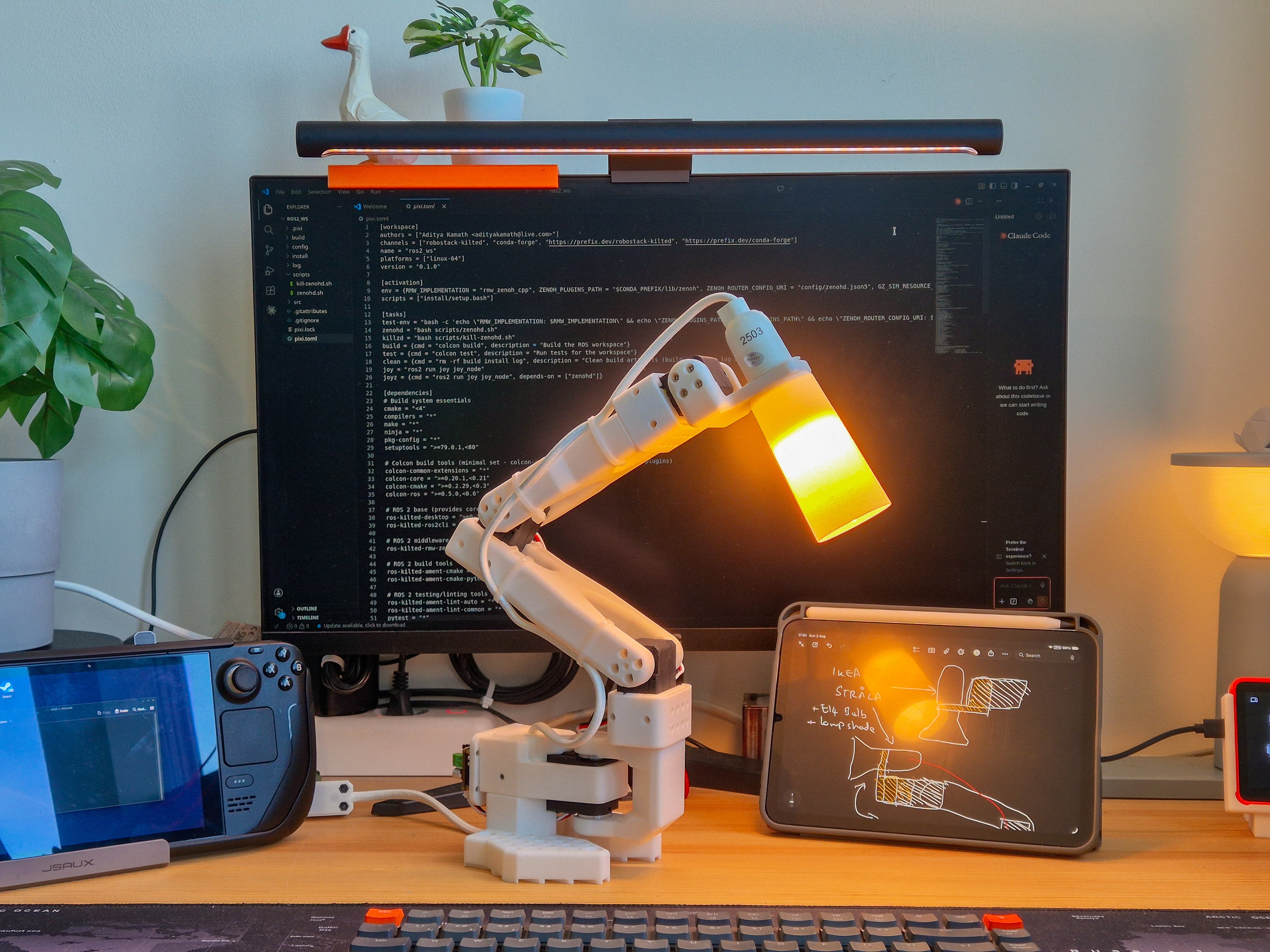
For V2, I wanted it hooked into my home automation, so I ordered a Tapo E14 smart bulb, which is a bit bigger than the original, so I needed a lamp shade. I used MakerLab's customizable vase generator to design one, cut the bottom out, and added threads to screw it straight onto the Strala cord set. I really liked how it turned out.
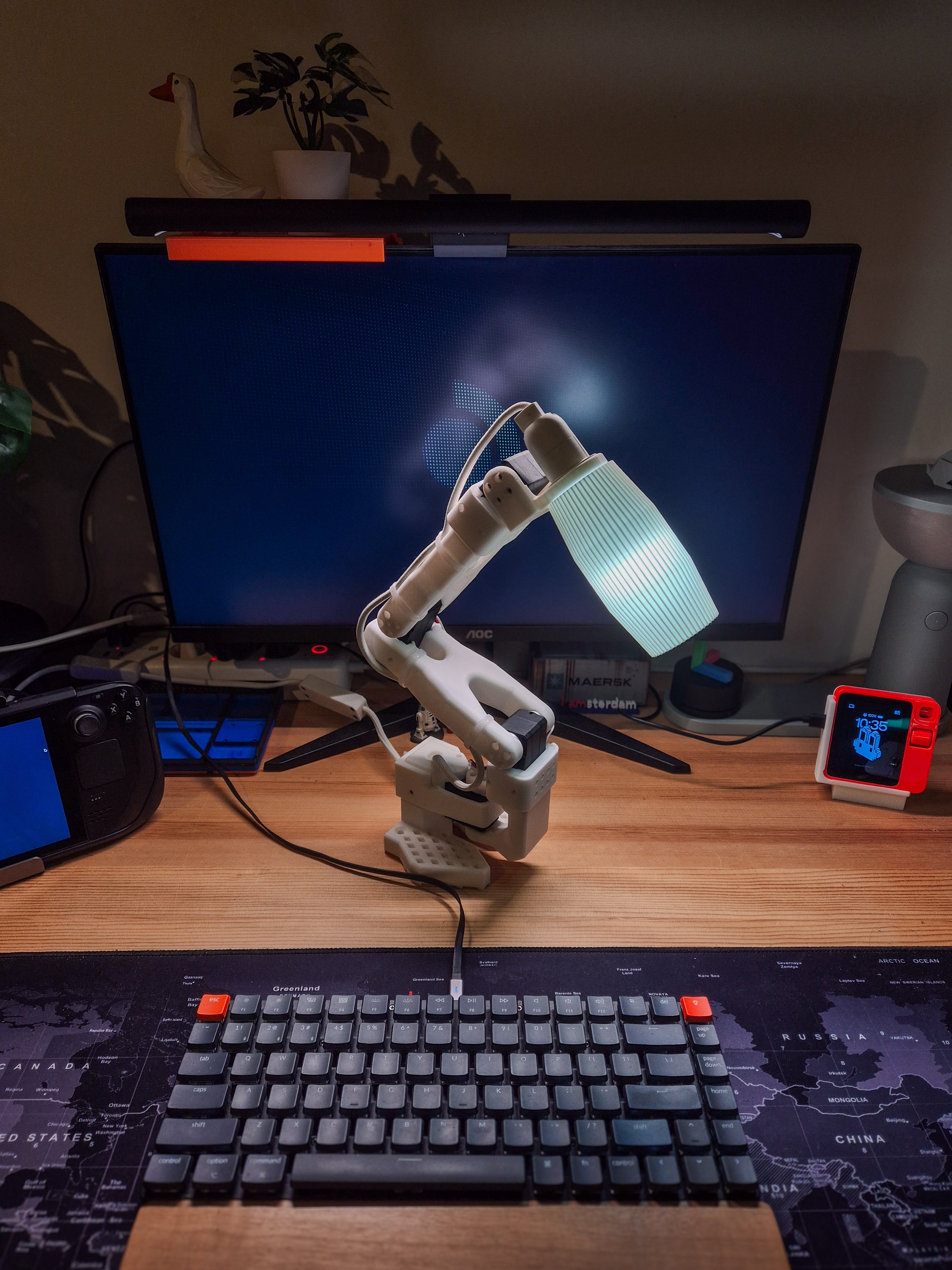
My original goal was simple: I wanted a functional, actuated night lamp that I could control through my home automation, without unnecessary complexity. I briefly considered making it 5-dof, decided against it (despite people on Twitter telling me otherwise), and deliberately kept cameras and microphones off it, keeping the design focused solely on lighting and leaving out any AI features.
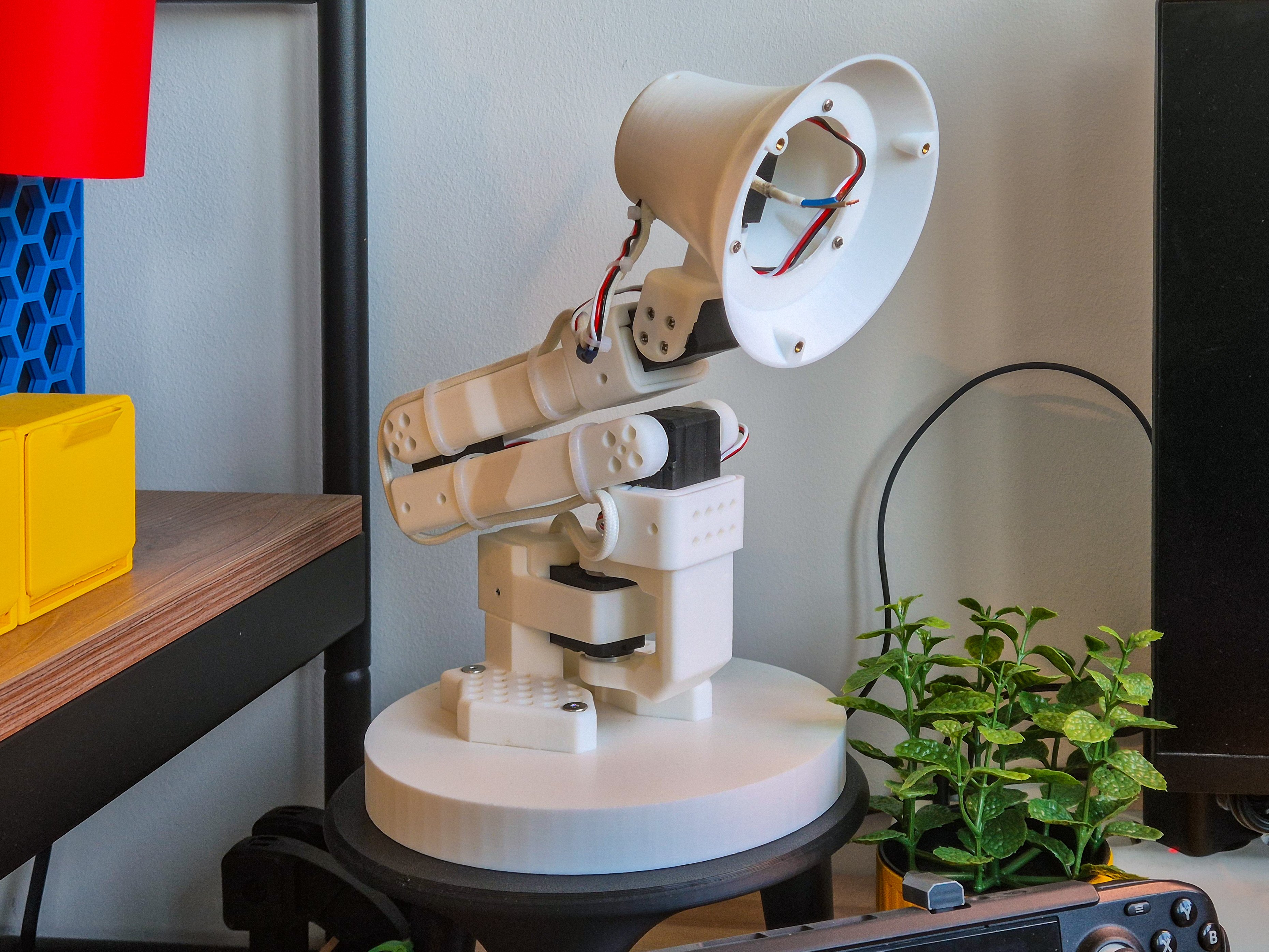
However, around this time I started seeing a surge of DIY and commercial robot-arm lamps online (see this survey by @irvinxyz on Twitter), which got me rethinking my own build. I settled for the head design from the open-source lamp (image below) from Autonomous.ai (which includes a 5th motor) and decided to adopt it, keeping the rest of the SO-101's 4-dof structure intact.
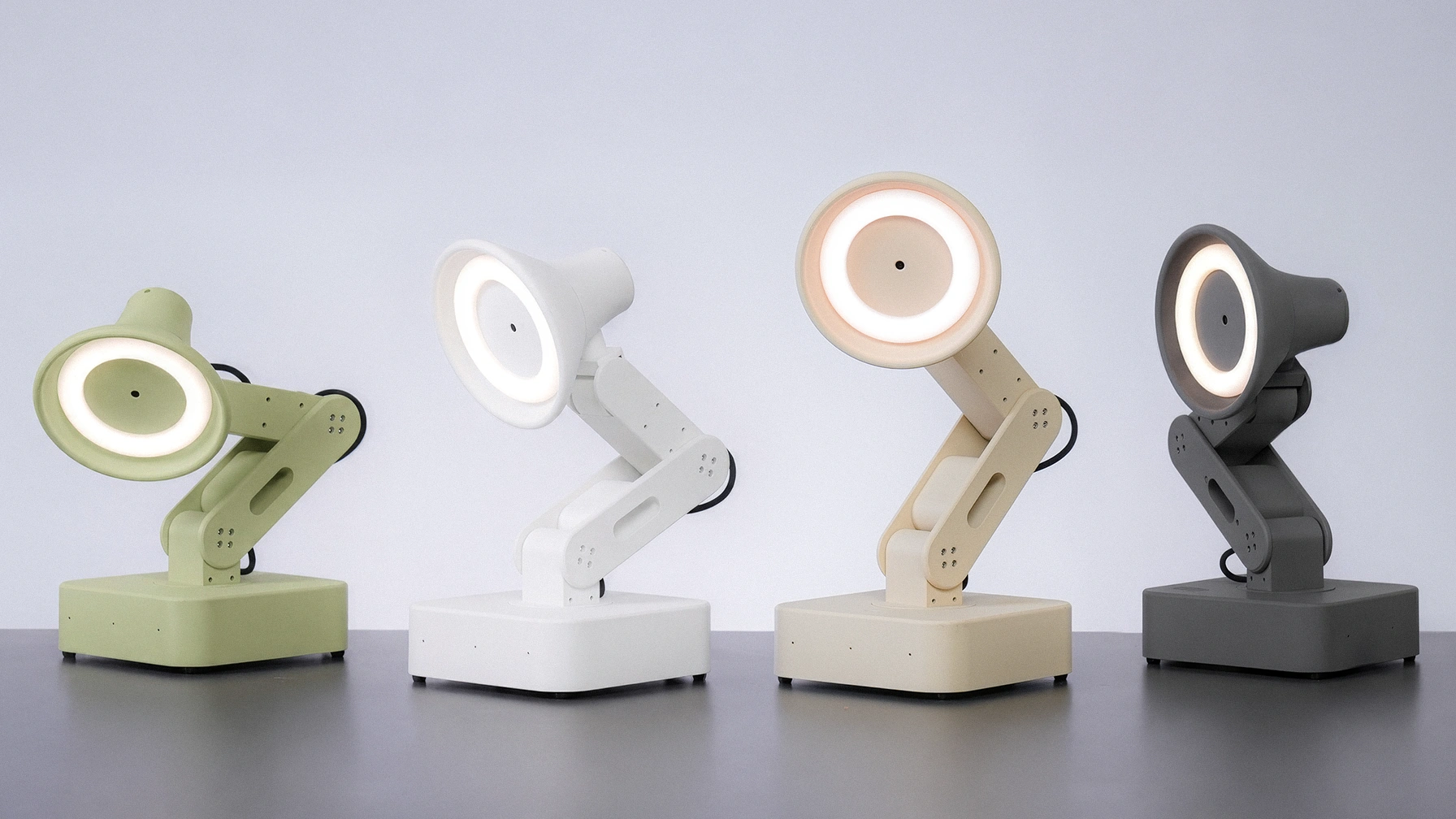
After some adjustments, the new lamp head was ready: I added M3 heat-set inserts and scaled down the original design. Mechanically, that's done, but the electronics are still catching up. The plan is to drop the Raspberry Pi for a XIAO ESP32-S3 Sense - Seeed Studio's Sense module packs a mic, camera, and microSD slot, which covers most of what I wanted to add - but it hasn't arrived yet. I'll pair it with a XIAO-compatible Bus Servo Driver to power and control the STS3215 motors directly, which I'm also waiting on. For lighting, I'm swapping the E14 bulb for an off-the-shelf LED ring wired through the servo driver. Once it's all in, everything will live in the lamp head with just a single power cable running up to it. I love how the new head and 5-dof design look - the electronics and the 3D-printed cover are just going to take a bit longer.
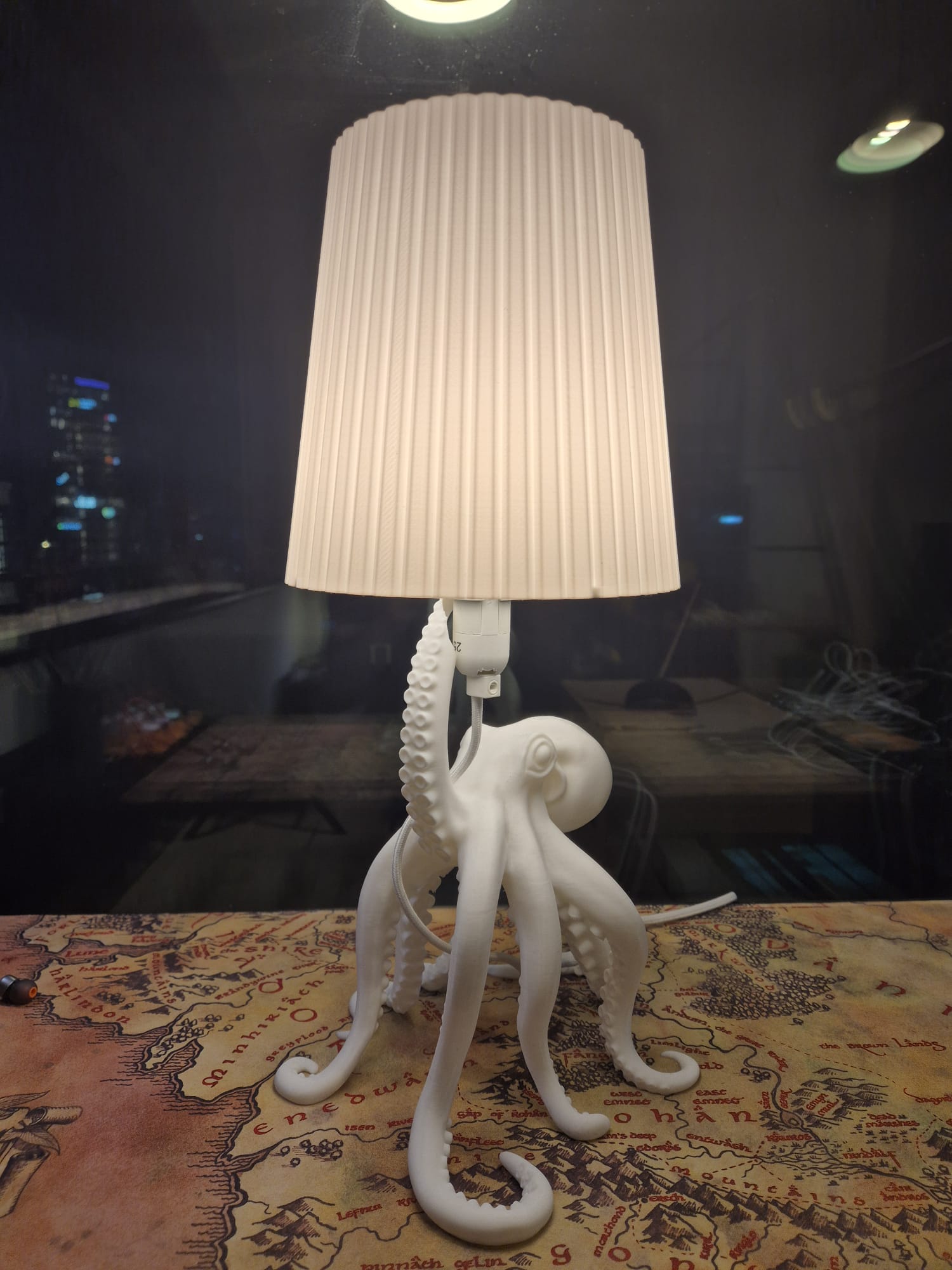
I still needed an actual night lamp good enough for reading in bed, so I put the now-freed-up E14 cord set and smart bulb into a non-robotic 3D-printable lamp I found online. Definitely the most beautiful lamp I've ever 3D-printed.
Back to the SO-Lamp: my favorite decision in this whole build was keeping it based on the SO-101 design. No new URDF to generate, no extra controller config beyond the lamp head changes. This makes life easier whenever I get around to simulating or controlling it in ROS 2.
Microduck
While I was building the new lamp head, Pollen Robotics announced the Microduck - a tiny bipedal robot that's compact, versatile, and genuinely cute, for just $399. Between LeKiwi, the SO-101, and the SO-Lamp, I was pretty sure I didn't have time for another robot platform, so I almost skipped it.
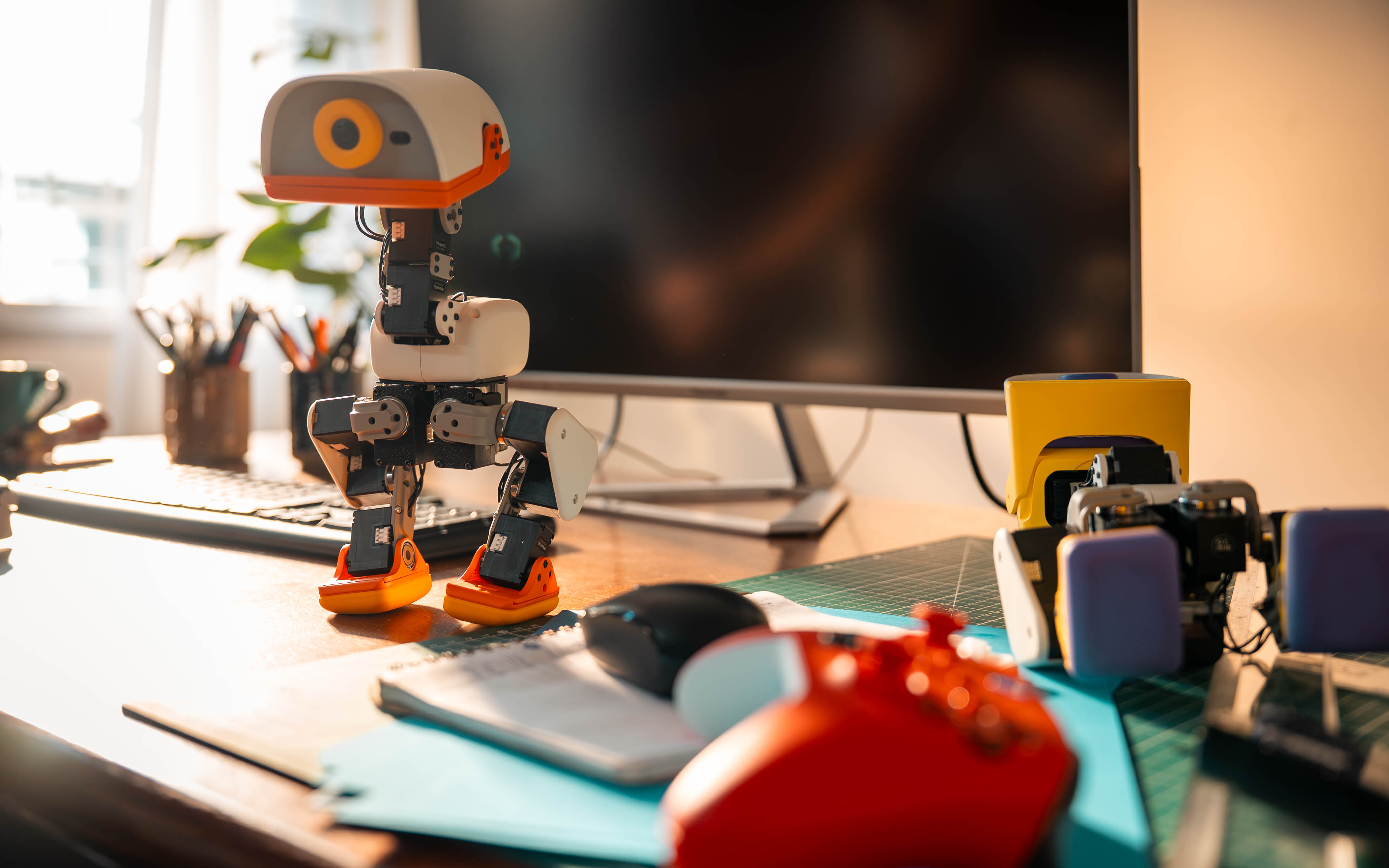
A few things changed my mind. The Microduck runs on 15 Dynamixel XL330-M288-T motors, which alone cost 30+ EUR each - around 450 EUR just in motors - making $399 a steal before anything else is even counted. It also packs a camera, a ToF sensor (likely the VL53L5CX), a Rockchip RK3566 with an AI accelerator, two IMUs, a mic, and speakers - worth salvaging for parts alone if I ever get bored of the robot itself.
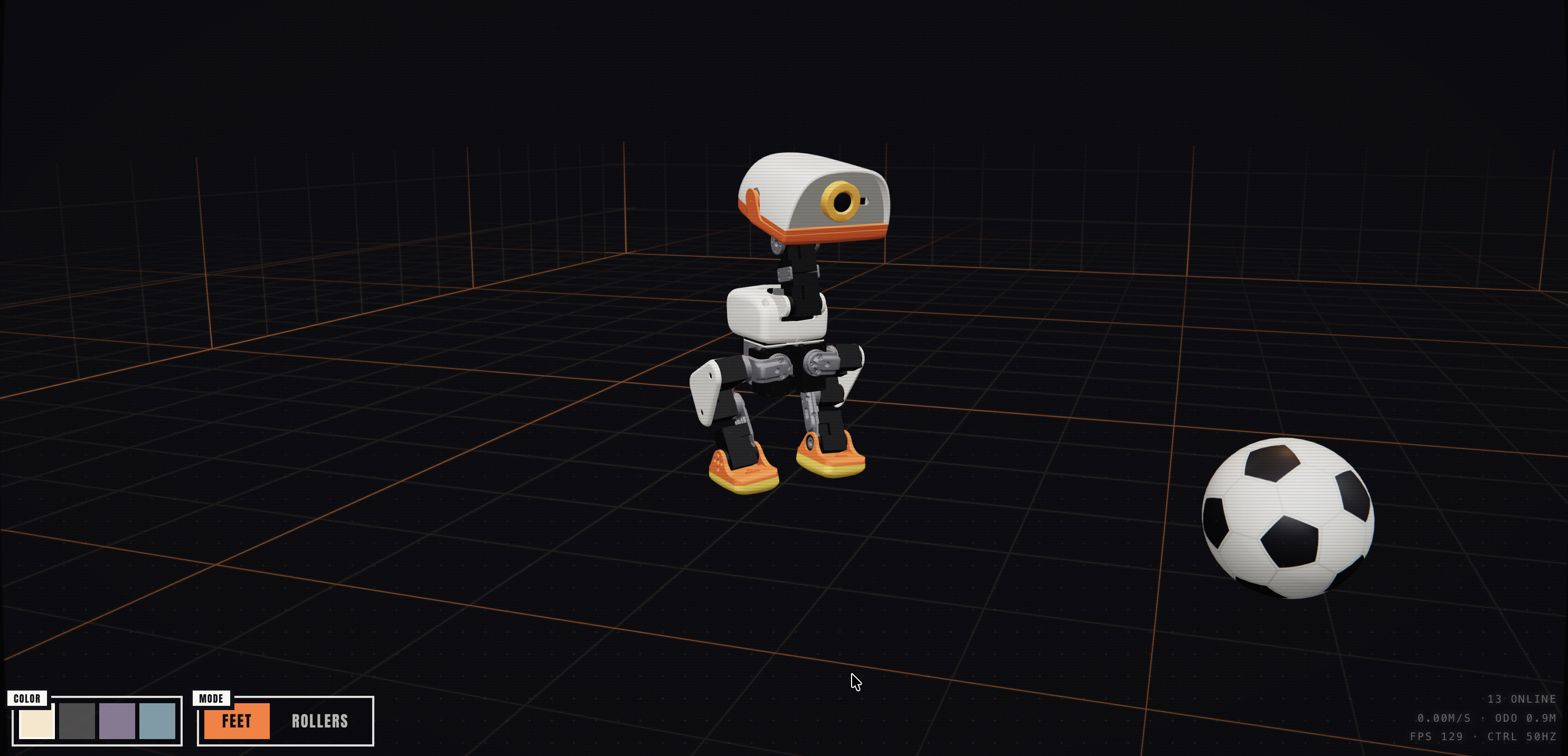
It's not just the hardware, either - it ships with a simulation platform, a sim-to-real pipeline, and Rust-based firmware, which makes it a solid excuse to tinker with both reinforcement learning and Rust. While waiting for mine to arrive, I couldn't resist getting a head start: I took the meshes and MuJoCo files Pollen Robotics provided and put together a URDF and Xacro file for it, in case I ever want to bring the Microduck into ROS 2 down the line (even though I promised myself I wouldn't). It's up on microduck_description if you want to poke around.
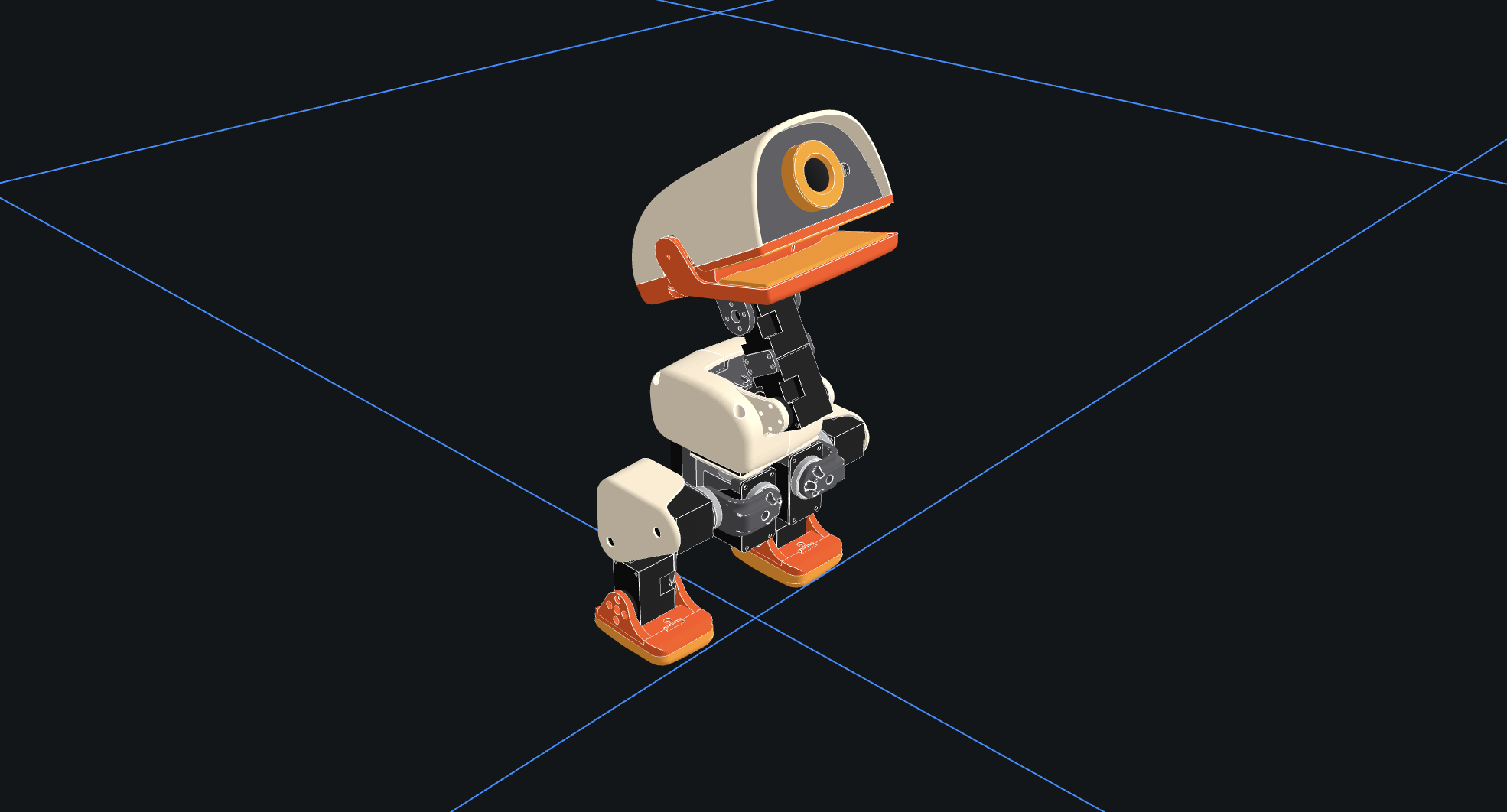
I'm glad I was sold on the Microduck and pre-ordered it quite fast - Pollen Robotics sold 10,000+ Microducks in the first few days, after which they dropped the pre-Christmas delivery promise and pushed the estimate out to 4-6 months. If all goes well, I should have my Microduck by the winter break. Fingers crossed.
What's next
So around the holidays I'll be stretched thin between my current robots and the new Microduck. There's another new robot arriving around the same time (still WIP; more details to follow), so time management will matter. My goal is to finish the SO-Lamp before the MicroDuck shows up, then hand the hardware off to someone else (and the open-source community) to take it further.
For the SO-101, the wrist camera's optical frame math is done, but not calibrated - I want to calibrate it just like in my earlier blog post. Beyond that, IK teleop and self-collision checking are the two things I keep talking about in this post, but that's its own story, coming soon.
Meanwhile, my UK visa has been approved, and I'm gearing up for my trip to ROSCon UK and the deep-dive session that I will be presenting there. I will be talking about the sts_hardware_interface and will use the LeKiwi and the SO-101 as examples.
Everything that I've talked about in this post lives in a new repository so_arm_ros2, which also includes a few things that I am yet to write about. As always, these projects are a work in progress and might change significantly over time. Still, feel free to poke around, provide feedback, or contribute if something catches your interest.
About the author
- Generalist engineer, specializing in robotics, embedded systems, and mechatronics.