

As I continue tinkering with the LeKiwi robot and Foxglove, I realized I needed a digital e-stop button (for obvious reasons). I had something similar on AKROS, but it was just an indicator on Foxglove, with the real button on my physical controller. Surprisingly, there wasn't a button panel on the Foxglove extensions registry (either created by Foxglove or the community) that could publish its state as a Boolean ROS 2 message, so I decided to create one myself.
With zero React experience, I dove into a tutorial on Foxglove’s blog. A bit of AI help later, I managed to whip up a button that could toggle between two modes: a toggle switch and a push-button. It changes color with each state change - red for inactive, green for active - and publishes a Boolean message (true for active, false for inactive). Plus, I added a feature to select the topic name from the settings panel.
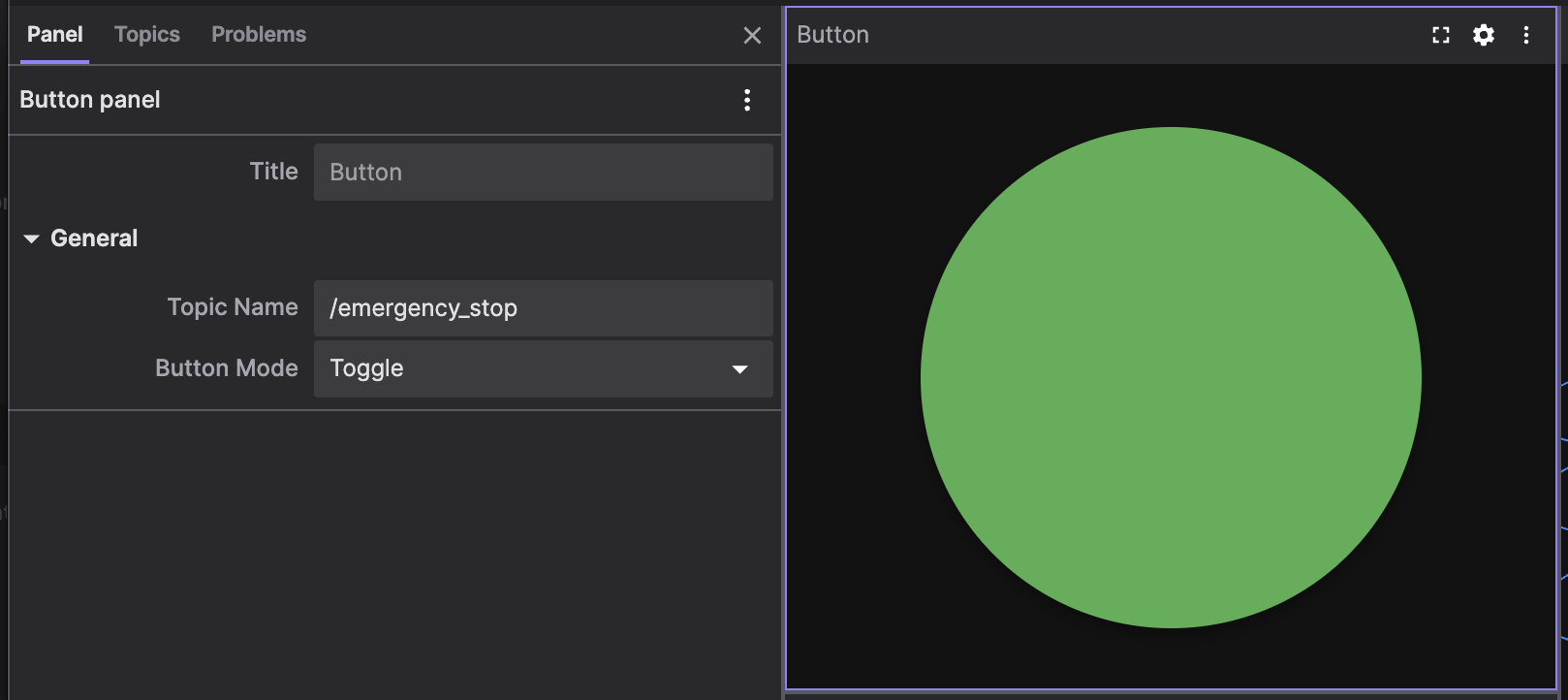
Getting to this point was no easy feat, and by then, I had lost interest in doing this by myself. So, I handed over some ideas to Claude and let it do its thing. After a few tweaks, I ended up with a sleek, rounded rectangle button with animations that also lets users change state colors and add text labels.
I gave it a whirl over the weekend, and it turned out to be a handy tool. Around the same time, I also realized that the e-stop feature in sts_hardware_interface needed to switch from a subscriber to a ROS 2 service, so I vibe-coded those changes into the custom button too.
But here's the twist: the Boolean publisher button is super useful beyond just an emergency stop. I didn't want to lose that feature, so I made it flexible. Now, users can choose between a Publisher and a Service Call. I now have the following options:
Output Mode: Pick between a Publisher or a Service call.
Publisher: Publish a
std_msgs/msg/Boolon state change, switching betweentrueandfalse.Service Call: Triggers a
std_srvs/srv/SetBoolservice on state change, switching betweentrueandfalse.
Topic/Service Name: Select the ROS 2 Topic or Service name based on your Output Mode.
Button Type: Choose your style - Toggle or Push-button.
Toggle: Click once to change the state, click again to revert.
Push: Hold to change the state, release to revert.
I've been testing it locally on my Foxglove app for a few days, and it's been a game-changer. I mostly use the toggle mode with the Service call to trigger the /emergency_stop service. I've already submitted a PR to add it to Foxglove’s extension registry. Once it's merged, It is now merged and you can grab it directly from the extensions section in the Foxglove app. But if you're eager to try it out locally, check out my Foxglove Extensions GitHub repo. It's just the Button panel for now, but I plan to add more vibe-coded extensions as I go.
What's next? I'm all about vibe-coding these apps, especially when I'm not keen on diving deep into a tech that I won’t use regularly (like React). Creating the button panel was a breeze, and now I'm pumped to tackle more. Up next is a teleop extension. A current community extension mimics teleop_twist_keyboard but lacks features like strafing or holonomic motion, which I need for my LeKiwi platform. I’m confident I can vibe-code something better. I still don't know whether to contribute AI-generated code to someone's repo or create a separate extension myself. Either way, this one's going to be a bit more complex as I need to take my time testing it thoroughly to ensure it's not just AI slop.
The button extension was just a side-quest, built out of necessity. And so will be the teleop extension. So it will be a while before I actually vibe-code, test, review, and publish it. Meanwhile, I’m progressing on my LeKiwi build, more about it soon…