
LeKiwi's new eyes + more upgrades
Swapping the depth camera, a battery monitor, an optional ToF sensor, and modular software
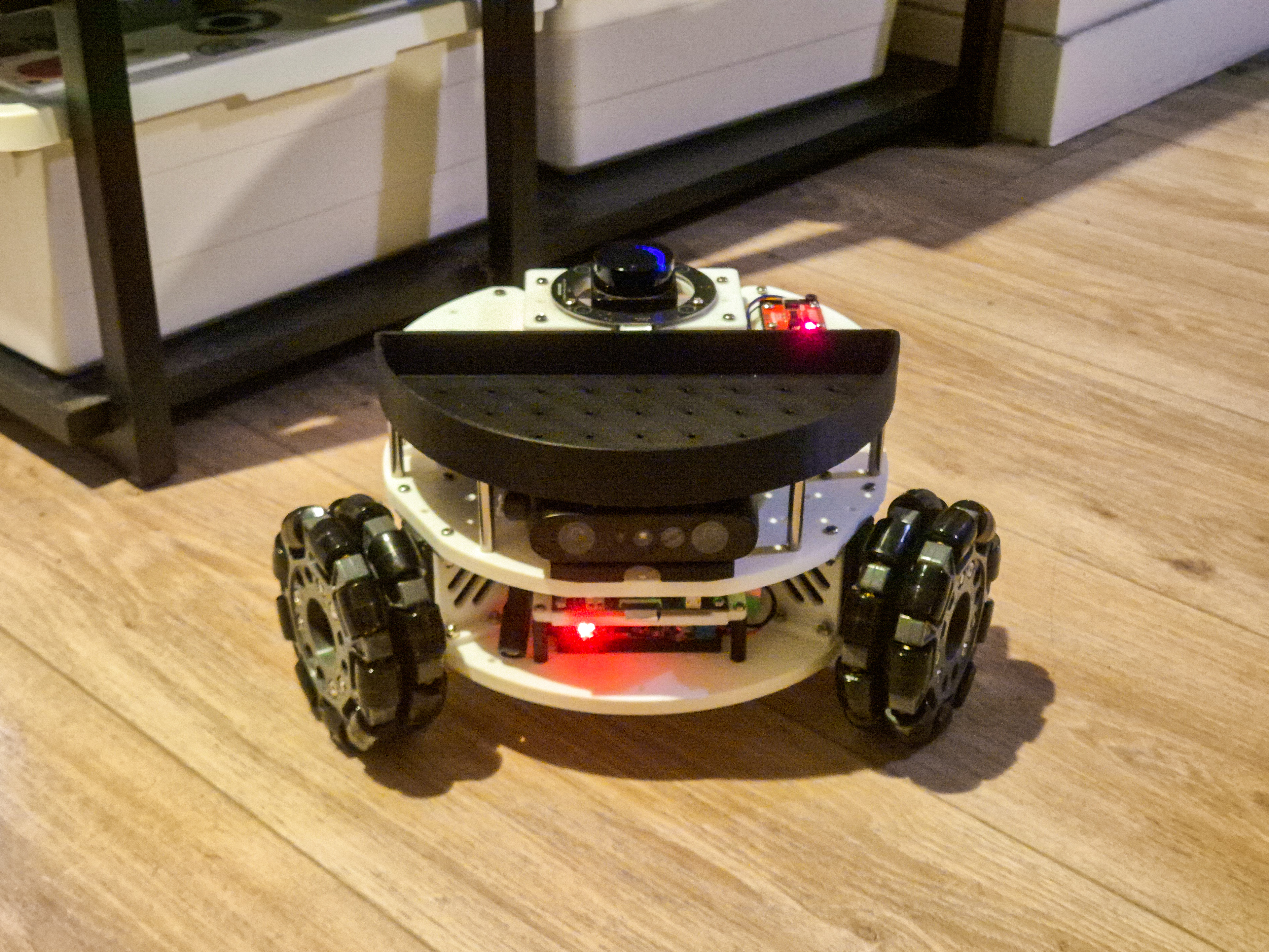
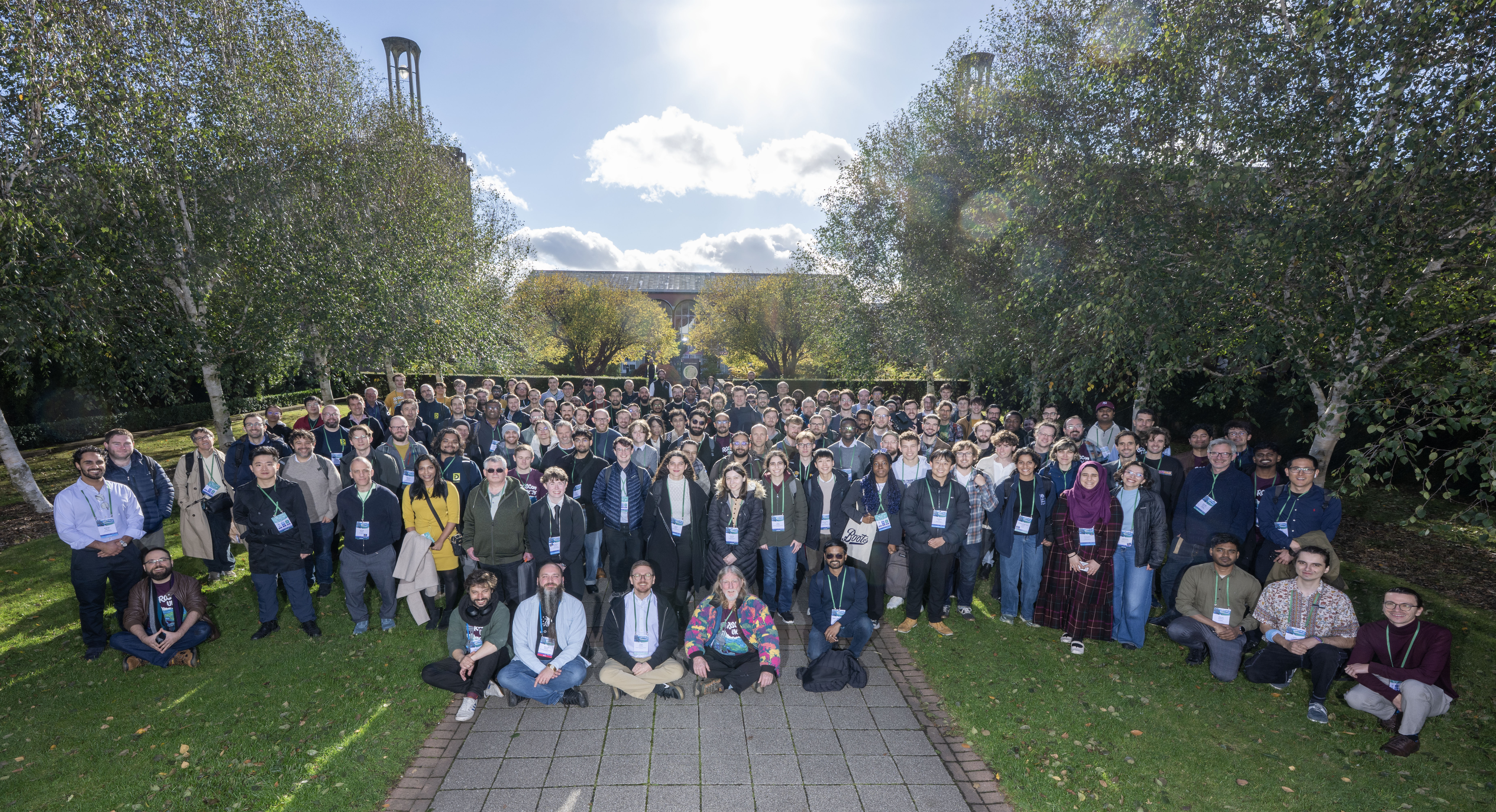
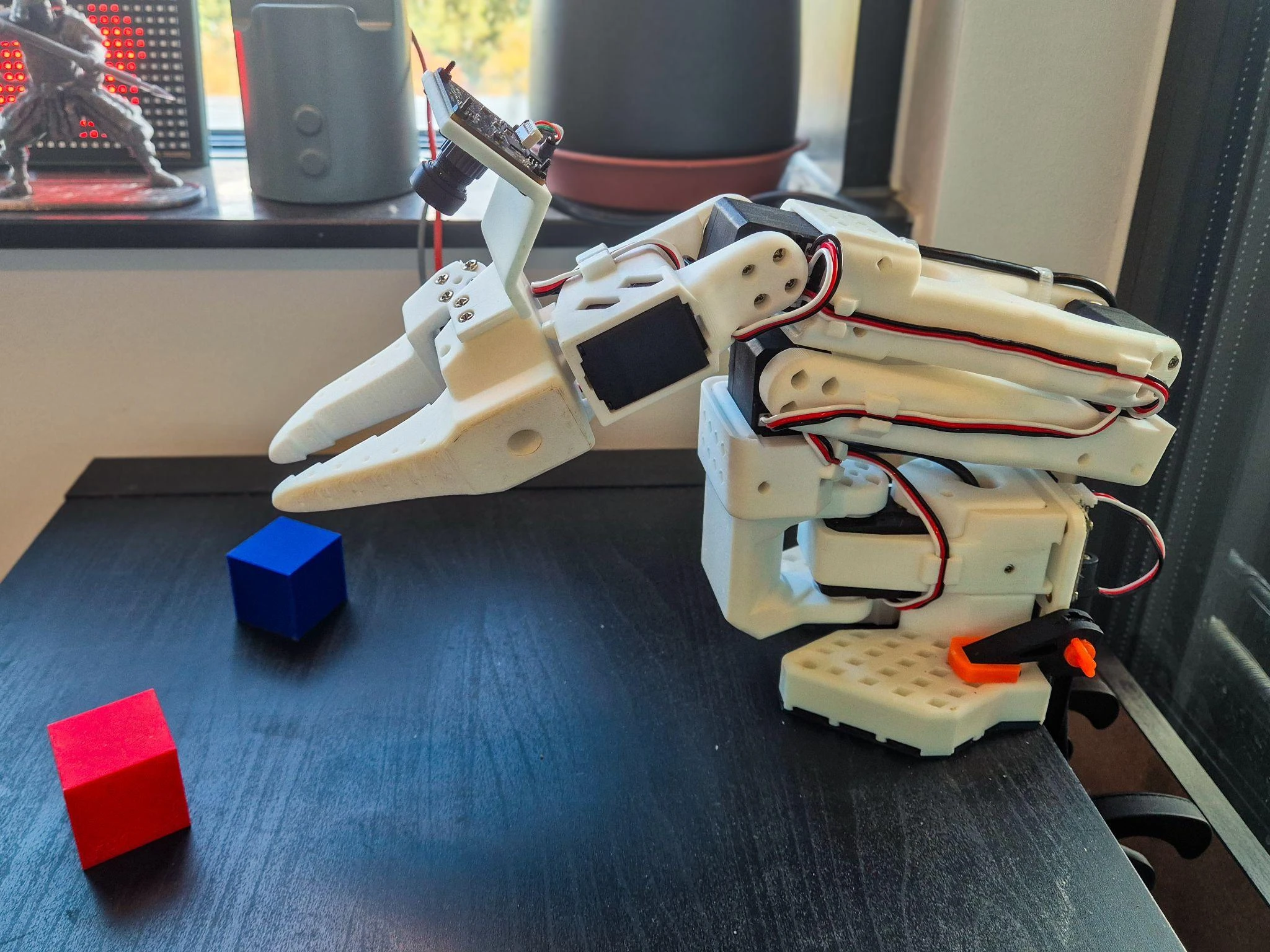
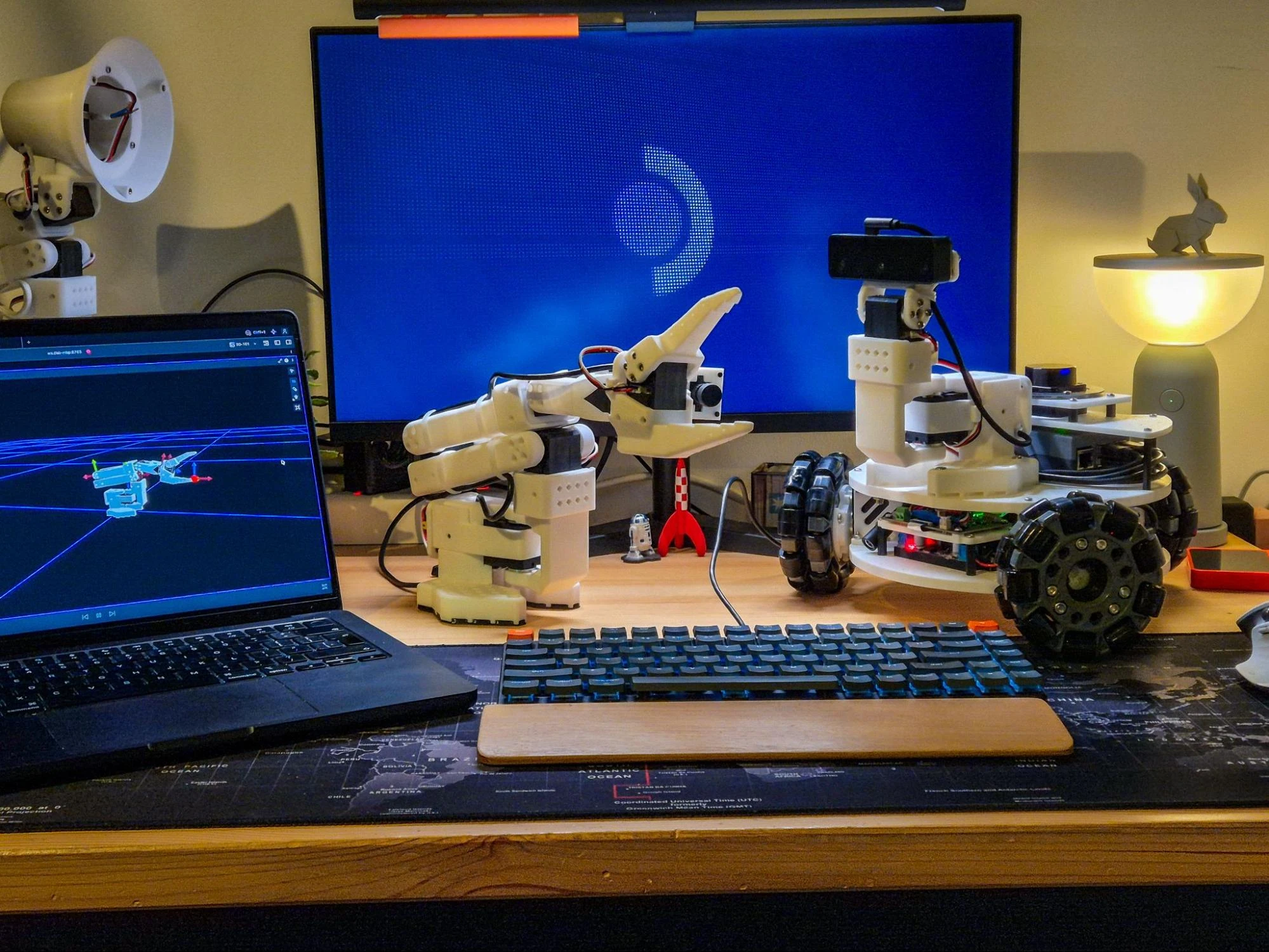
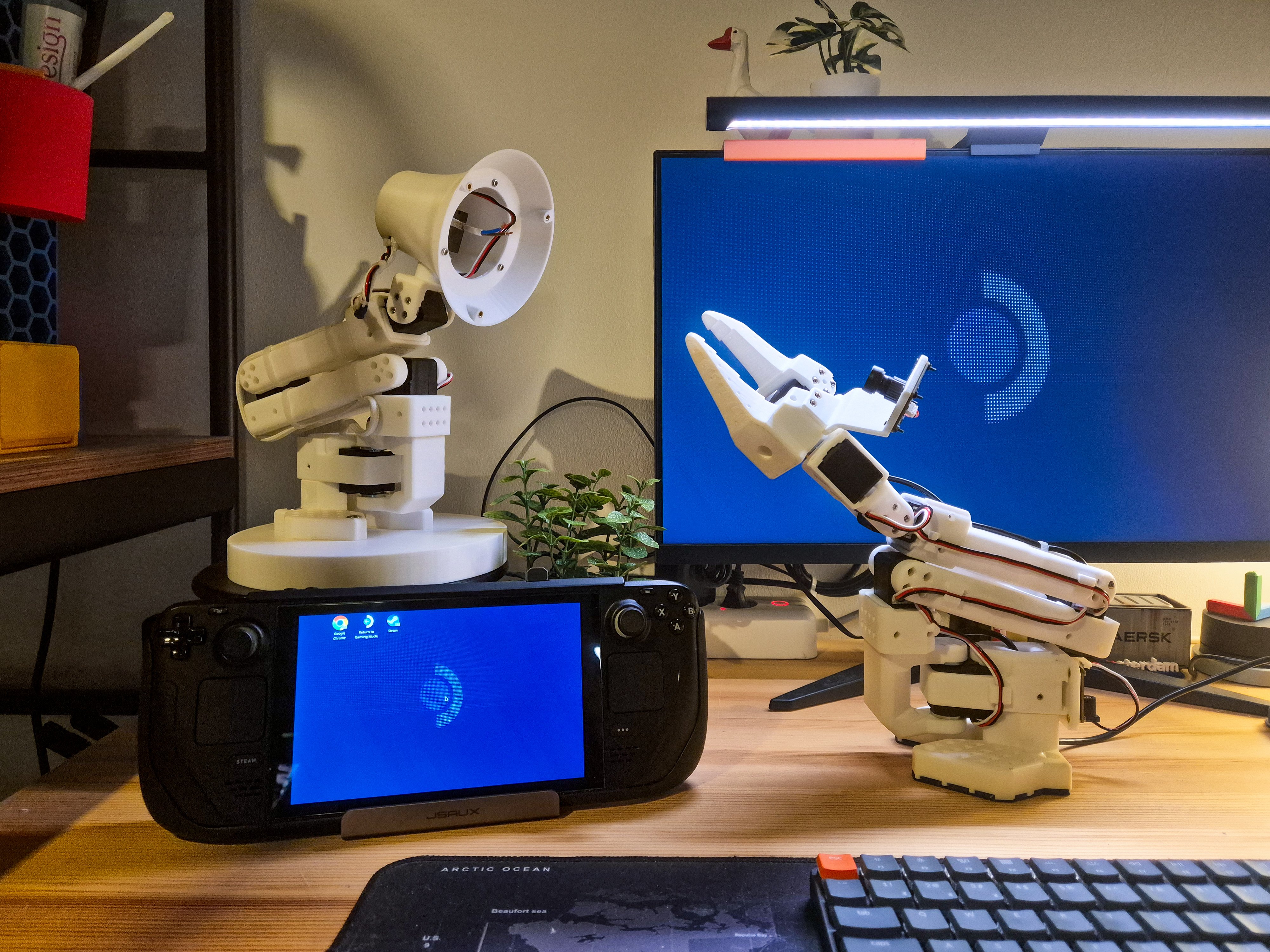
At the end of my audio indicators post, I mentioned that I'd already started planning some hardware upgrades for LeKiwi - a battery monitor and a docking station. This post is about those upgrades and a few more. LeKiwi was nearly finished, but after using it for a few months, there were some everyday problems I still wanted to fix. The biggest was the OAK-D S2 on the pan-tilt, which could brown out the Raspberry Pi, so most of this post is about replacing it with the Orbbec Gemini 2. I also added a battery monitor, and after ROSCon UK, I had a new idea for what to do with the robot next, which led to a tray, a more modular software stack, and a ceiling-facing ToF sensor.
Disclosure: I'm a Robotics / Physical AI Ambassador for Seeed Studio and part of the Seeed Ranger Program, and Seeed sent me the Gemini 2 for this build. As always, the opinions and experiences in this post are my own.
Switching to the Orbbec Gemini 2
The OAK-D S2 on LeKiwi's pan-tilt mechanism was too power-hungry for the Raspberry Pi 5 running this robot. Under heavy load, it could draw enough current to crash the Pi occasionally, and to keep it running from the Pi's USB ports, I had to disable some features and reduce frame rates and image sizes. This reduced the brownout occurrences, but didn't completely eliminate them. The OAK-D S2 is capable hardware, but it needs a dedicated high-current power source that the Raspberry Pi 5's USB ports can't supply. The pantilt_ros2 README even tells you to enable usb_max_current_enable in the Pi's config.txt, raising the USB max current from 600 mA to 1200 mA, with its own warning about brownouts when other high-current USB devices share the bus. That wasn't a footnote for me; it was the failure mode I was actually living with: LeKiwi's Pi already has a lot else pulling current, and the OAK-D S2 was the thing that tipped it over. So I started looking for a different depth camera for the pan-tilt, and the Orbbec Gemini 2 caught my eye.
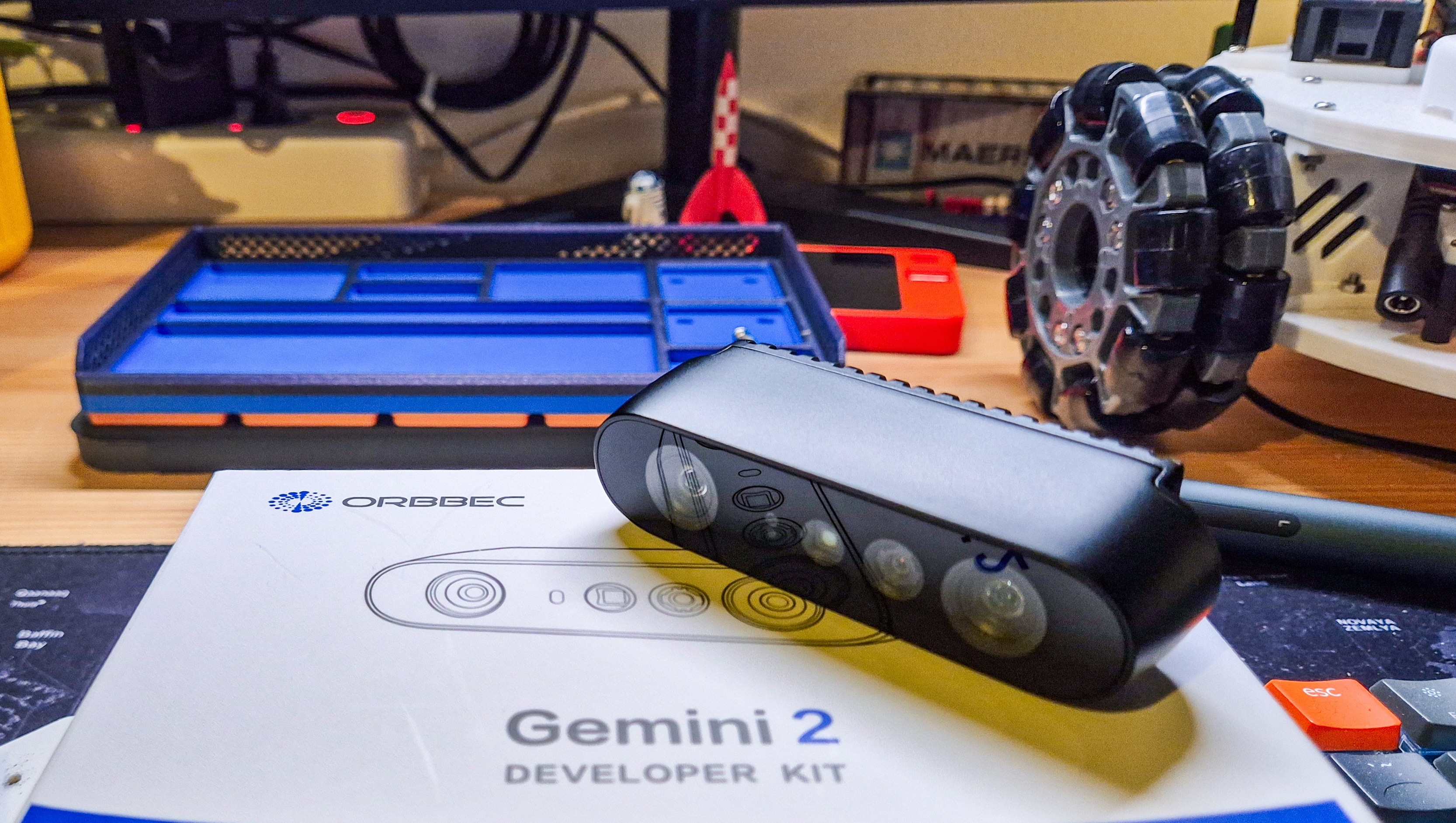
Seeed Studio is a reseller of Orbbec's cameras and kindly sent me one to test, integrate into my build, and write about it. But that's only a small part of what they do in the robotics / physical AI space. Seeed is the Hugging Face ecosystem partner for open-source robotics, working together to promote and distribute platforms like the SO-ARM101, LeKiwi, and the Amazing Hand, and they're the official manufacturing partner for Reachy Mini and MicroDuck, which has been one of the most popular open-source robots lately. I've pre-ordered a MicroDuck myself, and I can't wait for it to arrive next month!
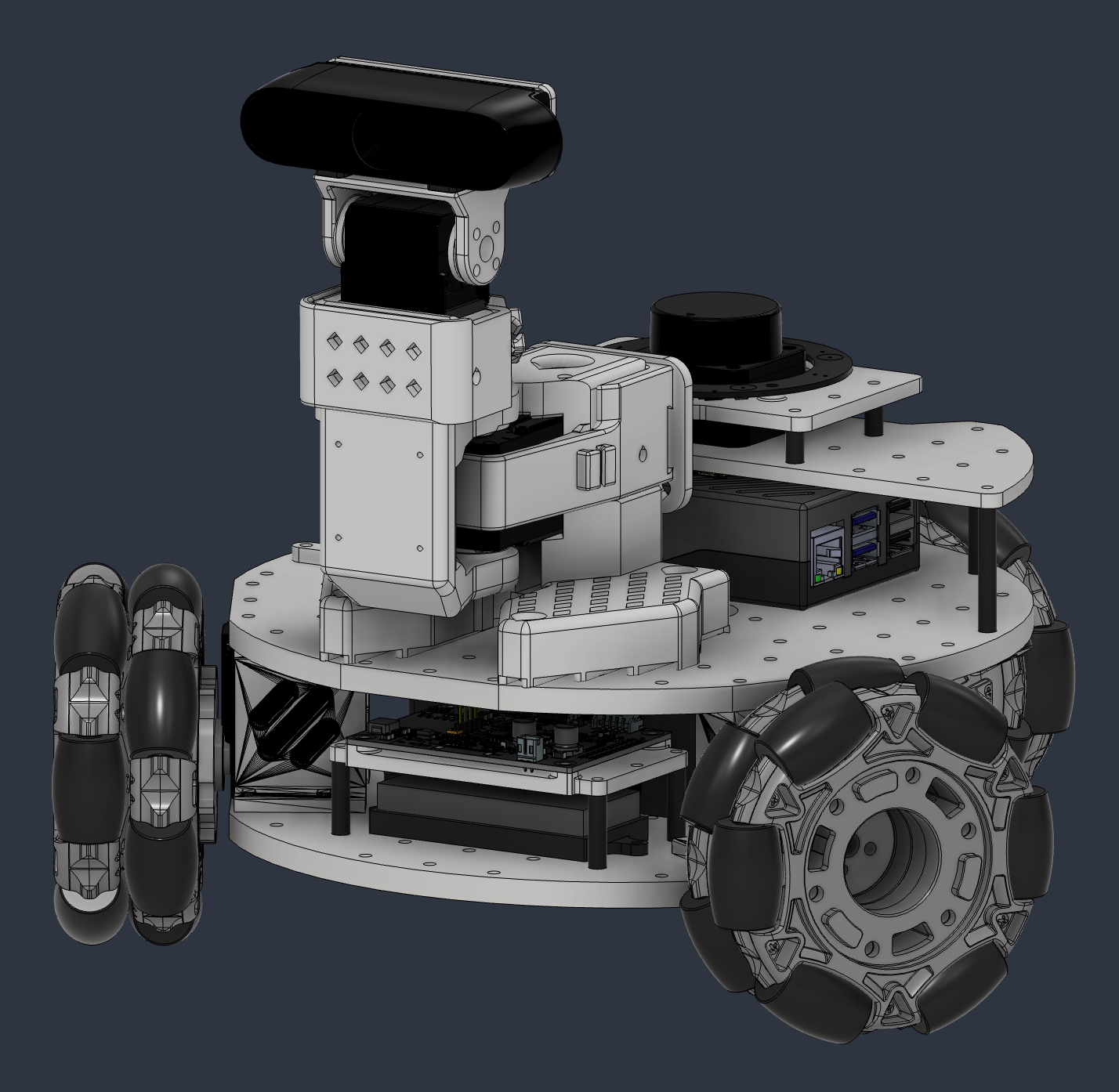
For my use case, the Gemini 2 is the better fit, mainly because of power. Orbbec quotes a power draw below 2.5 W, and on LeKiwi it runs directly from the Pi's USB 3 port with far fewer brownouts than the OAK-D S2. It's not immune, though: with the default configuration it can still brown the Pi out, even though that has rarely happened in the few months I've been using it, and with the reduced configuration I describe below, it has never happened. It still needed some care: the Pi's full USB current has to be enabled (usb_max_current_enable=1 in config.txt, on a 5 V / 5 A supply), and I set the IR projector to a lower power level, which seems to work fine so far. The OAK-D S2's onboard processing is something the Gemini 2 doesn't have, but LeKiwi's navigation runs on the Pi anyway, so I was paying the power cost for something I wasn't using.
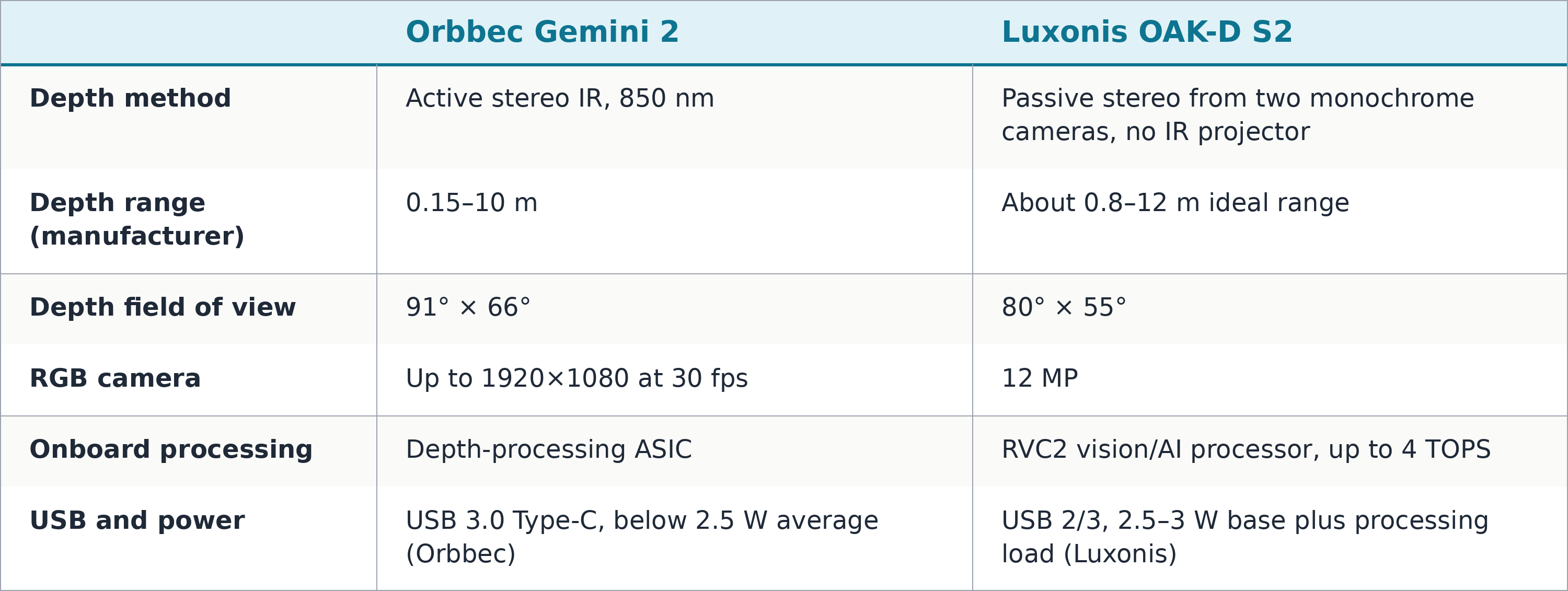
The other thing I came to appreciate is the software. Orbbec's ROS 2 driver that supports all their cameras is much more lightweight and easier to work with compared to depthai_ros, which supports the Luxonis lineup.
The Luxonis driver was a struggle, and that had a real cost. I tried to get RTAB-Map running against the OAK-D S2 for proper SLAM with loop closure, and hit a reproducible segfault in the camera driver's own container process, tied to a depth-alignment feature. I never root-caused it, and fell back to octomap_server, which worked but built a static occupancy map with no loop-closure correction. Visual SLAM is still something I want to implement, with Mike Likes Robots' work with the Viam rover as my reference.
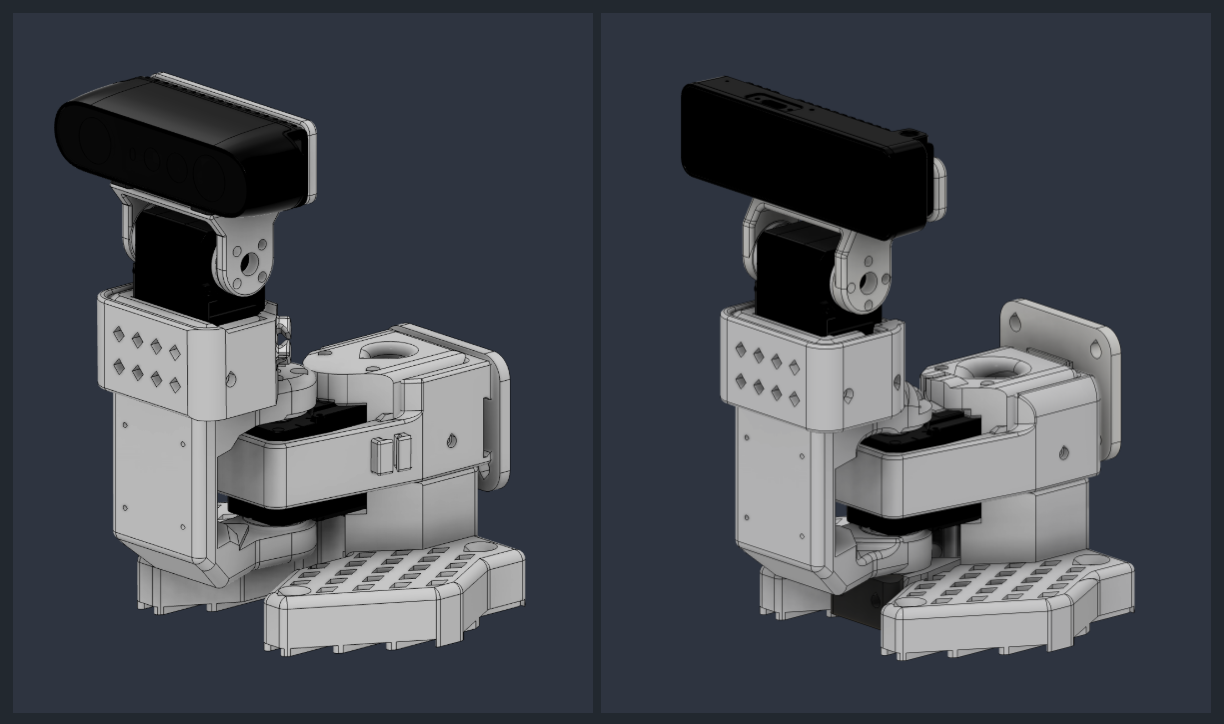
After playing around with the camera and its SDK, I decided on updating pantilt_ros2 to use the Gemini 2 as the default camera, while still keeping the OAK-D S2 as an option for projects that can power it.
Getting it running on the Pi
Orbbec's driver doesn't have an apt package for ROS 2 Kilted, so I build it from source in the workspace, using the kilted branch of my fork, which needed two small patches to build, one in CMakeLists.txt and one in an example node.
The camera also needs Orbbec's udev rules; otherwise, the SDK can't open the device without root. After that, a launch file in my LeKiwi stack starts the driver, and the Gemini 2 shows up on the ROS graph under /gemini2.
What it publishes
I've configured the camera to publish 640×360 RGB at 15 Hz and 640×400 depth at 5 Hz, with the depth registered to the color image. These are deliberately the smallest acceptable sizes and rates, because for now I only use the camera for visualization, and with the Pi's power budget this tight, keeping its load low is the safer choice. Even so, the output is still far better than what I got from the OAK-D S2 (as seen below).
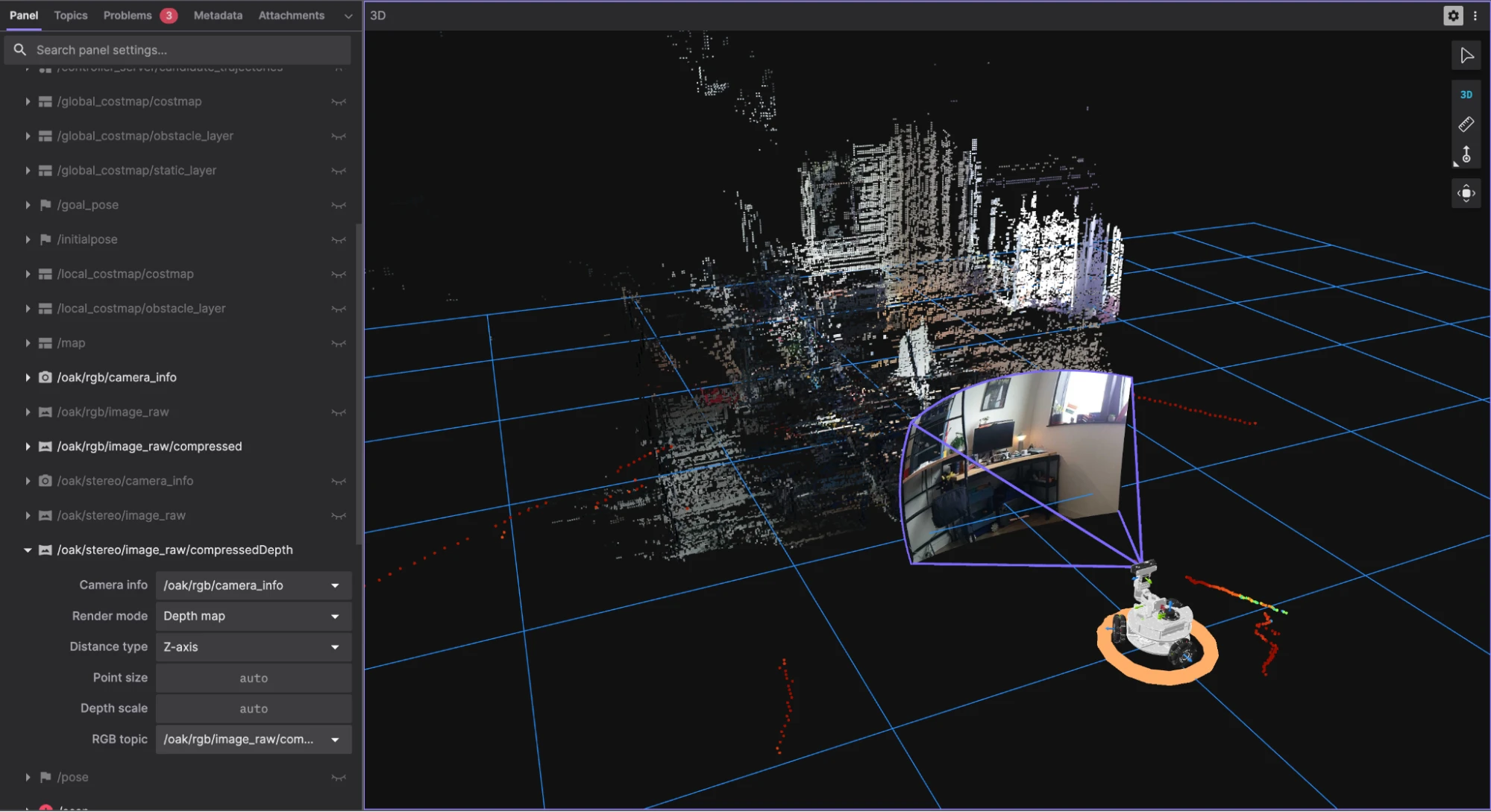
Eventually I'll use the camera for obstacle avoidance, detection, and recognition, which will want higher rates and resolutions. Still, LeKiwi is a pretty slow-moving robot, so I'm not in too much trouble in the meantime. The rates and the other camera settings live in a single config file. The camera also has its own accelerometer and gyroscope, which are off by default since the on-board BNO055 already handles that.
A colored point cloud is also available, but it's off by default and can be enabled with the pointcloud launch argument. A full cloud is a lot of data to look at remotely, which is the same problem I ran into with the OAK-D S2 in my earlier post on visualizing point clouds in Foxglove, where the 3D panel froze within minutes. The fix then was Cloudini, a point cloud compression library with ROS 2 packages, and it carried over to the Gemini 2 almost unchanged.
The same small node from that post thins out the colored cloud, drops invalid and duplicate points, compresses the positions at 1 cm resolution, and publishes the result on a separate compressed topic, which Foxglove can display directly using the Cloudini extension, as seen below. Fortunately, with the Gemini 2, since reducing the image sizes and rates, the pointcloud publishing and visualization (of compressed and raw pointcloud) have never crashed the Pi. Both cases would eventually have crashed the Pi with the OAK-D S2.
As you can see in the GIFs above, the pan-tilt no longer exists on the robot. I removed it after ROSCon UK, and the Gemini 2 now sits fixed to the base. More on that below.
A fuel gauge for LeKiwi
The camera swap fixed the biggest reliability problem. A smaller one was knowing when to recharge. Since I got the LeKiwi kit, I've used the stock battery, which works fine but has no charge indicator, so I was guessing when to recharge, not ideal for a robot I want to run autonomously. So I decided to add a battery monitor using an INA260 current/voltage/power sensor.
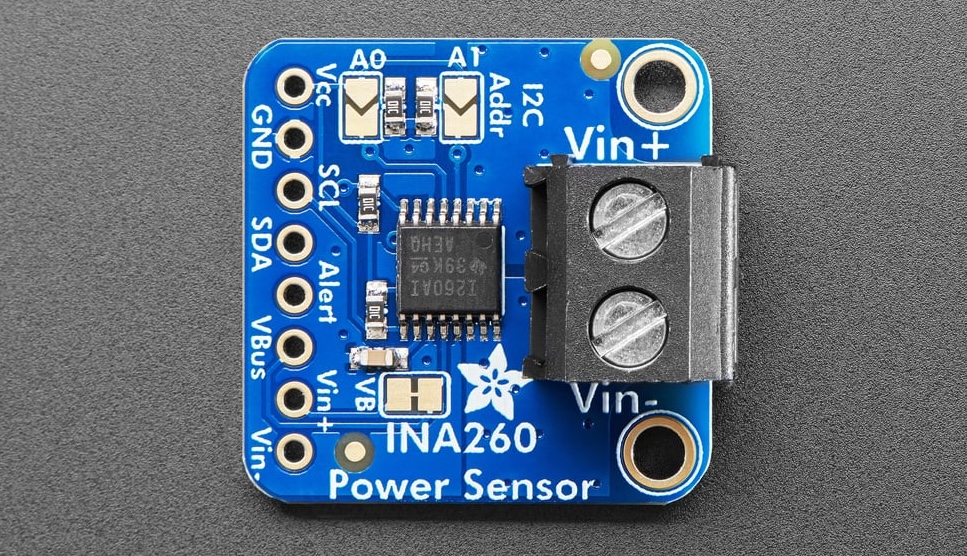
I picked the Adafruit INA260 breakout over boards with a STEMMA QT/Qwiic connector, like Adafruit's INA219, which would have been easier to plug in. But the INA219 is rated for about 3.2 A, and LeKiwi's motors, the Raspberry Pi, and everything else on the battery add up quickly, especially when a motor stalls. The INA260 handles 15 A continuous and up to 36 V, well above my pack's 12.6 V, and its built-in shunt means the battery wire simply passes through the board. The trade-off is that it has no Qwiic connector, so I soldered one on and daisy-chained it off the BNO055 IMU already on the Pi's I2C bus. LeKiwi's stock battery, Seeed's E326S, is a 3S1P Li-ion pack rated for 2550 mAh, and the default config matches it.
To get the readings onto the ROS graph, I wrote ina260_battery_monitor, which publishes the pack's state as a standard sensor_msgs/BatteryState using a software coulomb counter. I put the INA260 in series with the battery's + line, before the split to the charge port and the robot's load, so it sees a single signed number - net battery current - instead of needing two sensors. The README covers the wiring, calibrating for a different pack, and the estimator's limits.
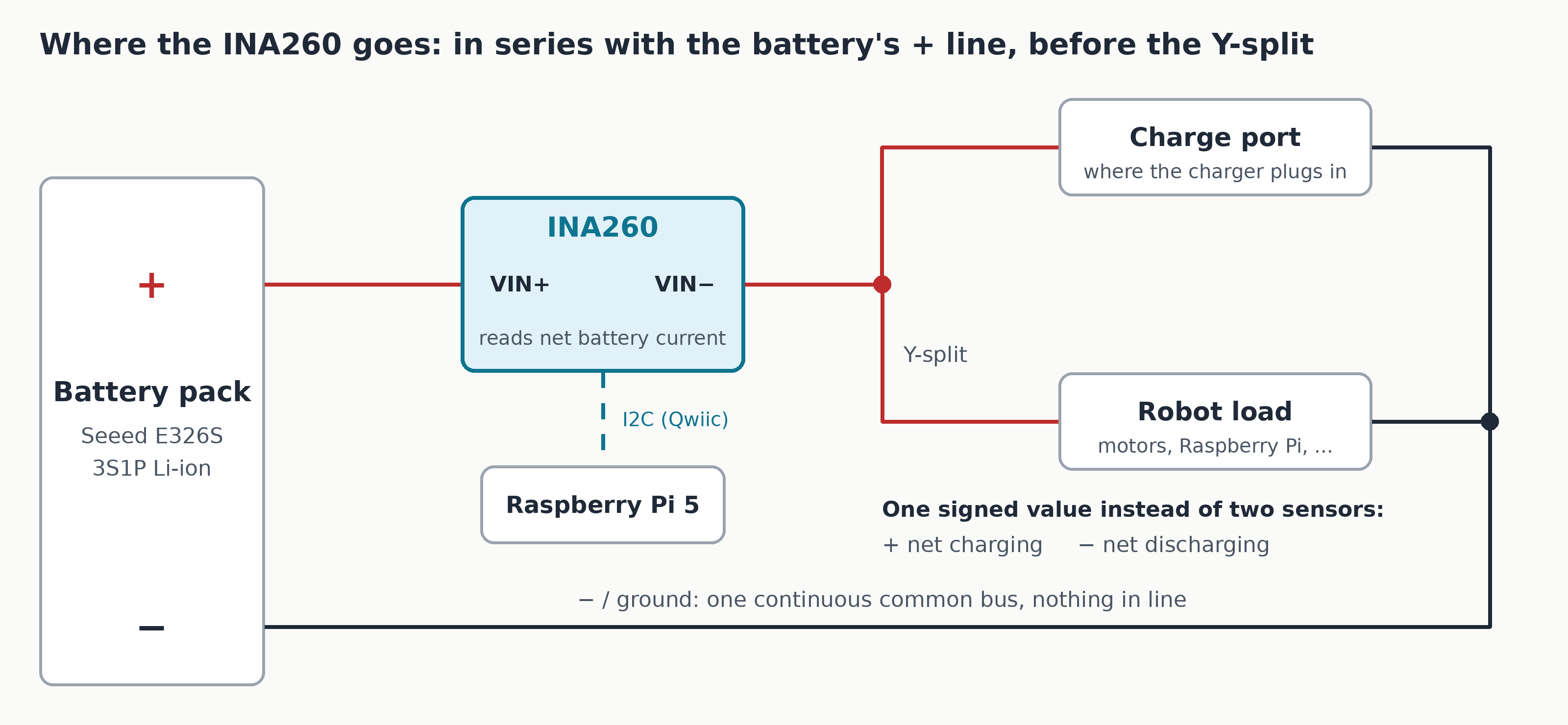
The package also turns the battery percentage into /battery_low (25%), /battery_critical (10%) and /battery_full (98%) events as plain SetBool services, so the indicator_node from my audio indicators post announces them out loud, like the e-stop and mode changes. /charger_connected is inferred from the current alone - enough to know the robot is docked and charging, but specific to my battery and robot.
A tray for LeKiwi, and goodbye pan-tilt
In my ROSCon UK post, I talked about an interesting Open-RMF demo: a fixed robot arm and a mobile robot working together to transport a colored block. The operator chooses a colored button on a microcontroller, which tells the arm to pick up the corresponding block and place it on a mobile robot, which transports the block back to the operator.
https://www.youtube.com/watch?v=hQ_Su_ec5DQ
Now that I have both the SO-101 and the LeKiwi base working with ROS 2, this felt like the perfect opportunity to try recreating that demo. The first step was to give LeKiwi somewhere to put a block, which meant removing the pan-tilt. So I fixed the Gemini 2 to the base, facing forward (which turns out to matter for the docking station at the end of this post), and added a tray on top using metal spacers.
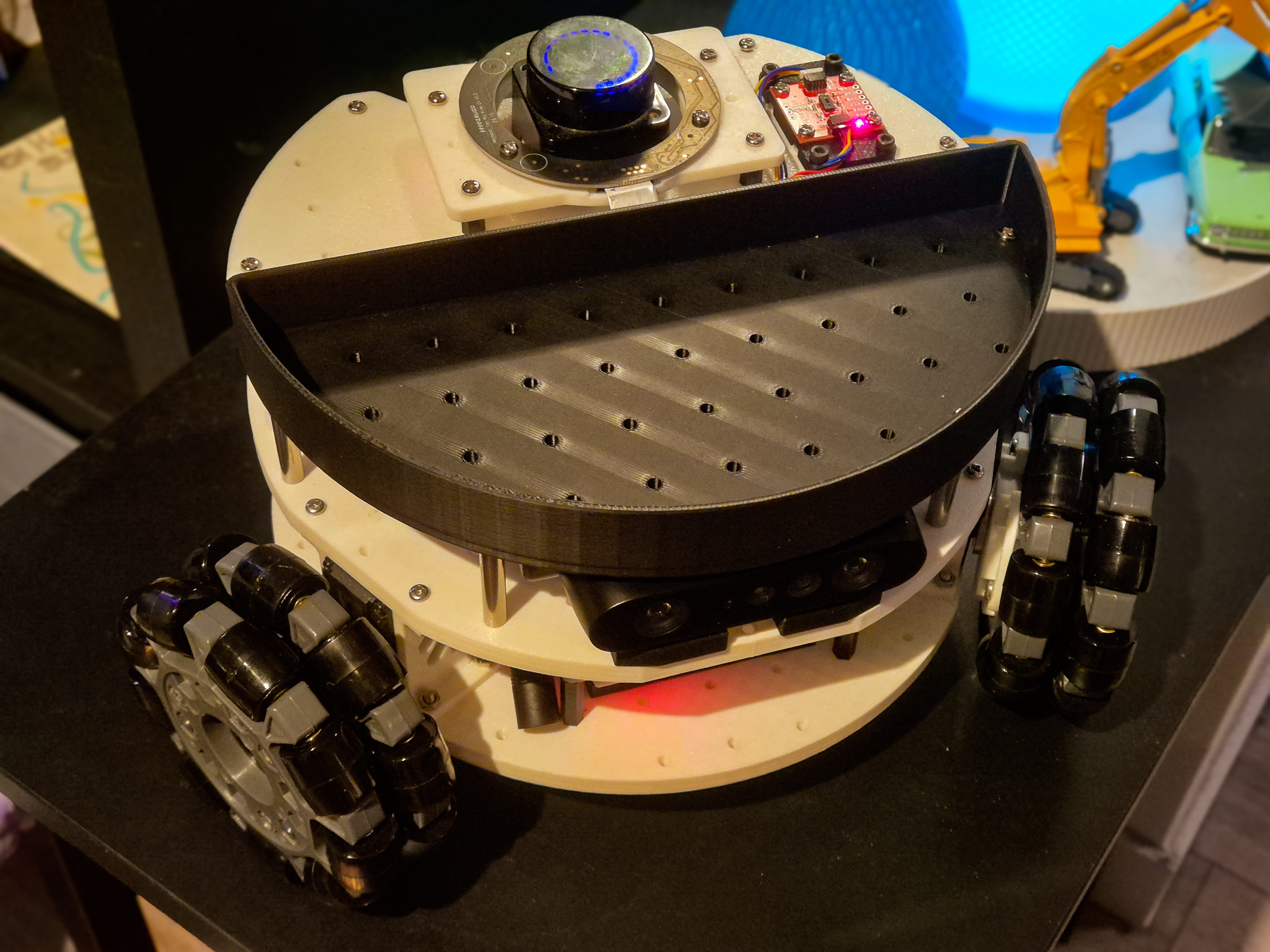
The tray is a simple PLA print matching the footprint of the base plates, with M3 holes in a 20mm grid for mounting other things. The spacers are 35mm tall, just like the LiDAR plate, and the top of the tray stops just below the LiDAR's scan plane, so the 360° view of the environment is not occluded.
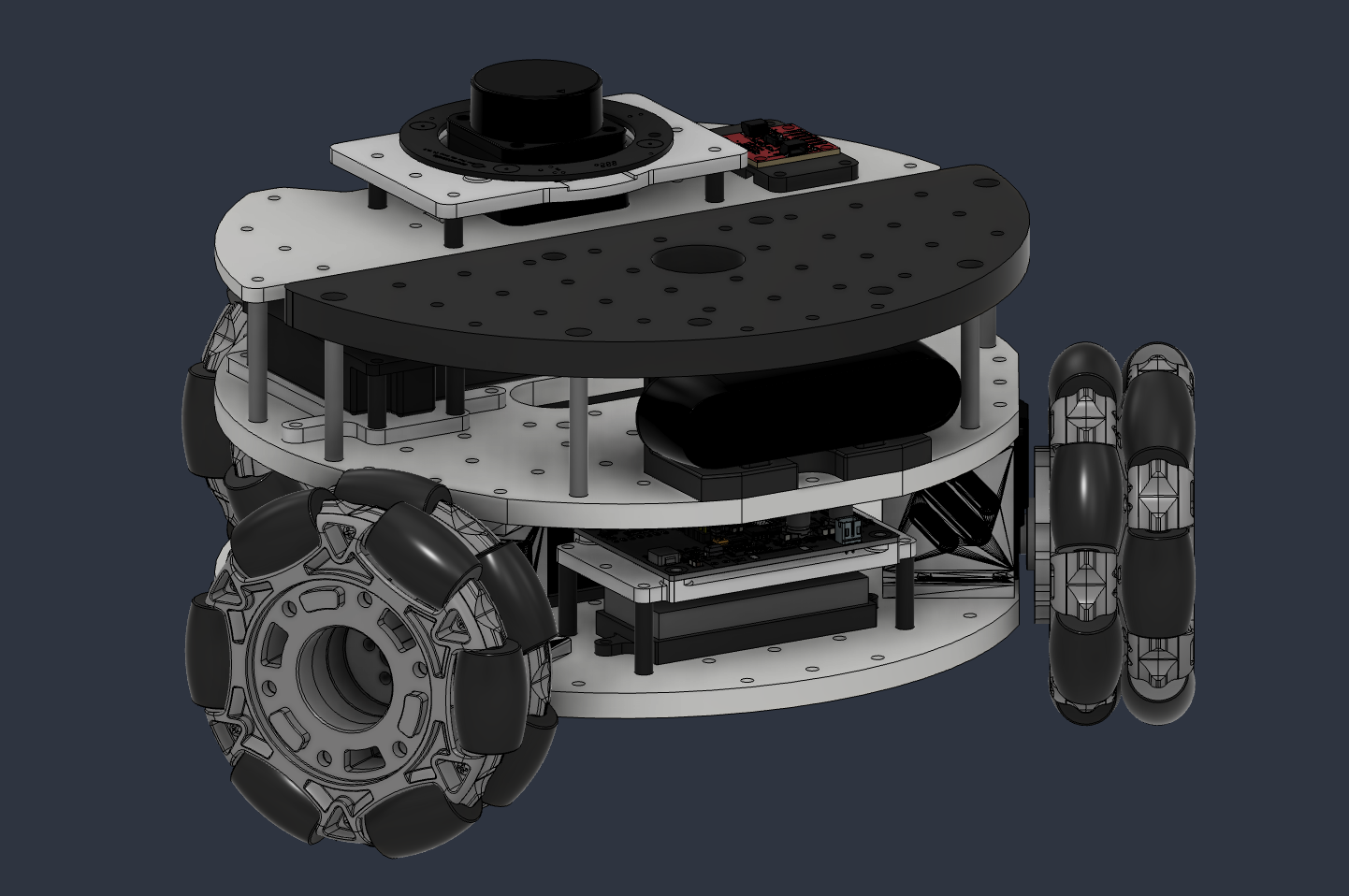
I left the option open to swap the tray for a mounting plate for an SO-101, in case I want to add it in the future. That keeps the whole system modular, which was also inspired by a few of the talks at ROSCon UK.
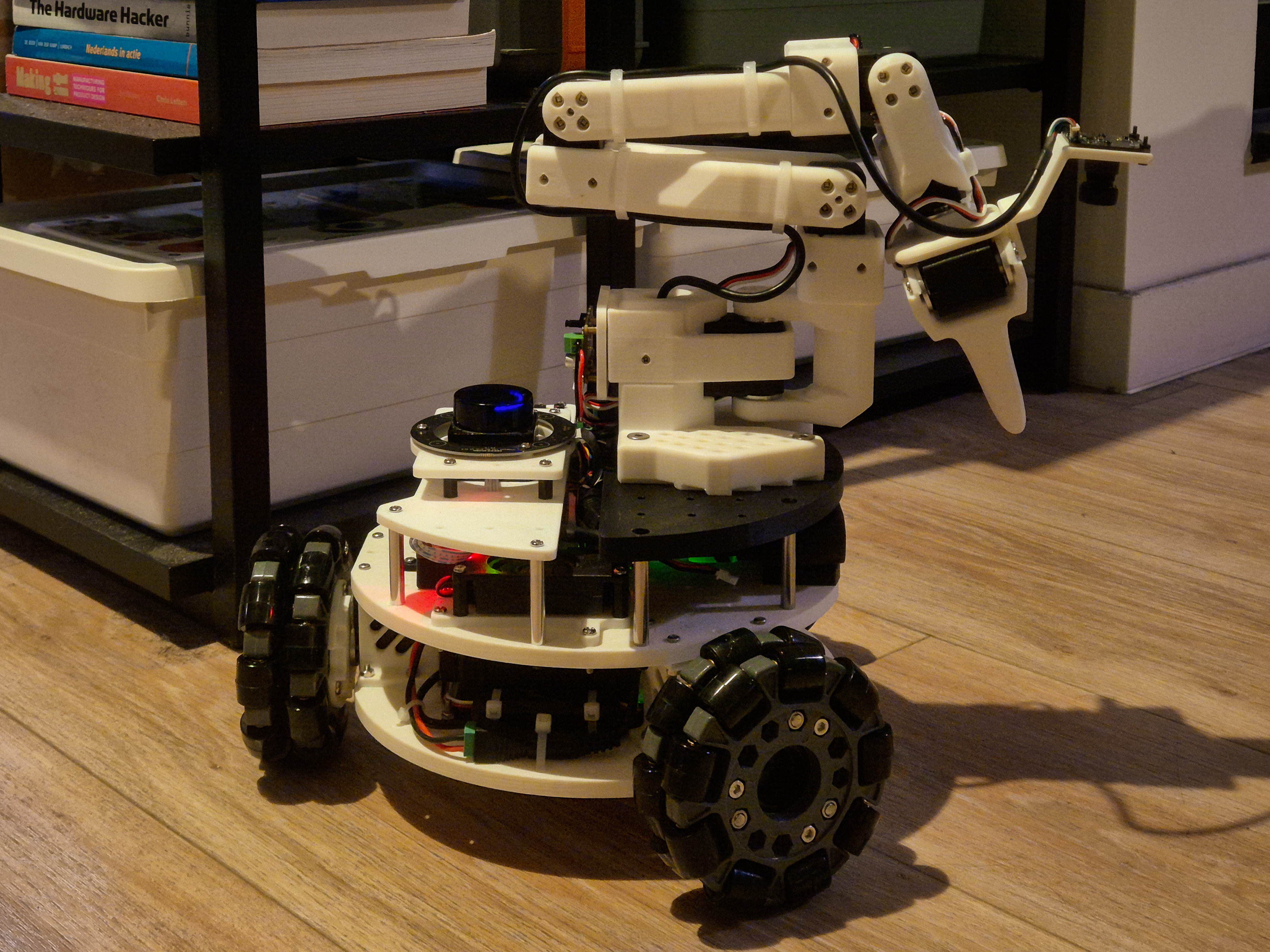
For now, I've updated lekiwi_ros2 and removed the pan-tilt completely (pantilt_ros2 itself still supports the Gemini 2 for anyone using it), as adding it would mean moving the Gemini 2, which would be annoying to configure, or adding a second depth camera to the system, which would be overkill. My focus is on the tray for now, and the SO-101 on LeKiwi is something I come back to at the end of this post.
Looking up: a ceiling-facing ToF sensor
Another conversation I remember having at ROSCon was about ceiling-facing cameras for mapping and localization. Since I had a VL53L5CX sensor breakout from SparkFun lying around, and a Qwiic-based I2C bus, I thought it would be fun to add a ceiling-facing ToF imager to LeKiwi. I had space on the LiDAR plate, so I attached it there
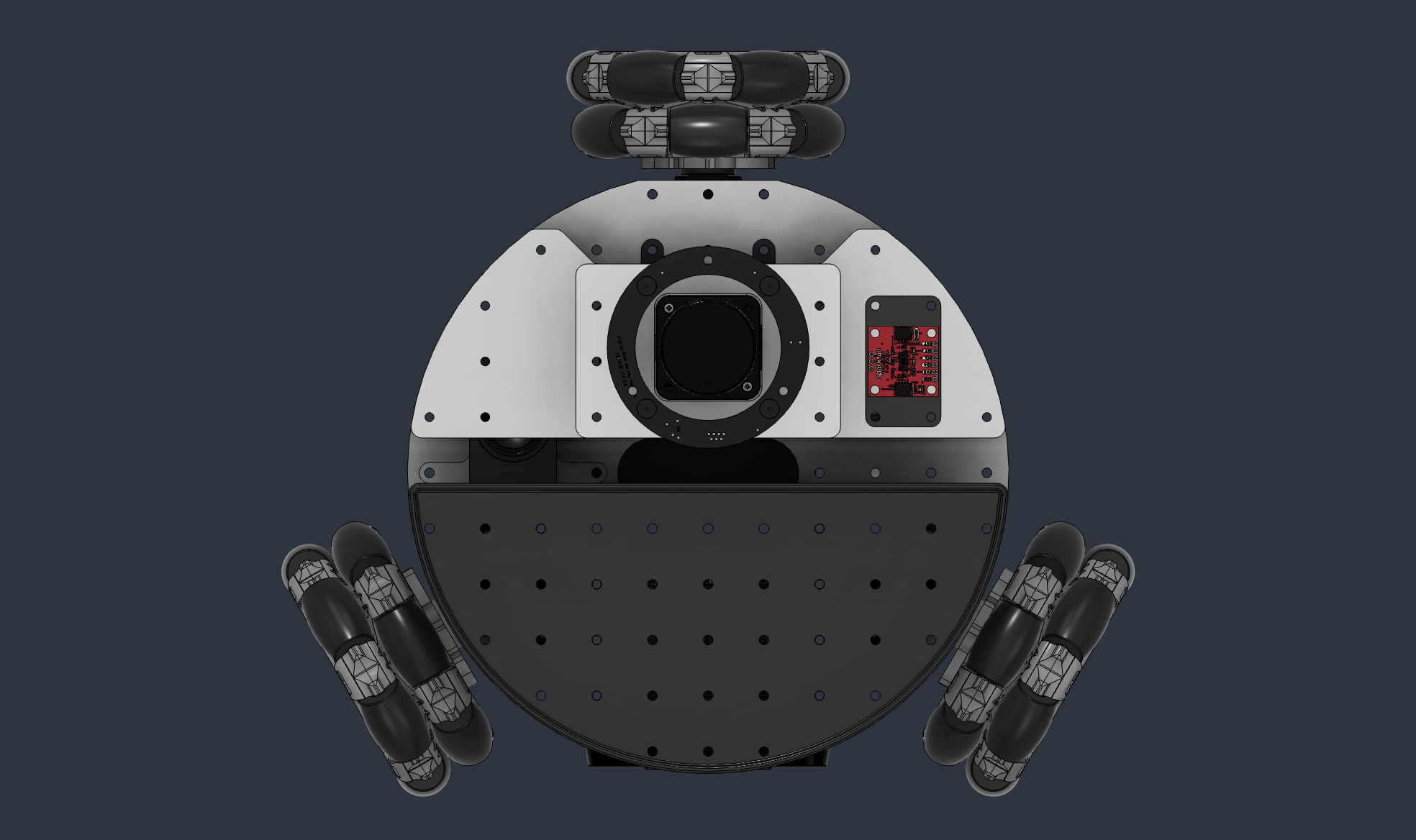
The VL53L5CX is ST's multizone time-of-flight sensor, which gives an 8×8 grid of distances (or 4×4 at a higher rate). I used my tof_imager_ros package to drive it, which I developed a few years ago. It was nice to work with a manually written piece of software, with no AI generation or assistance involved, and it worked as I left it.
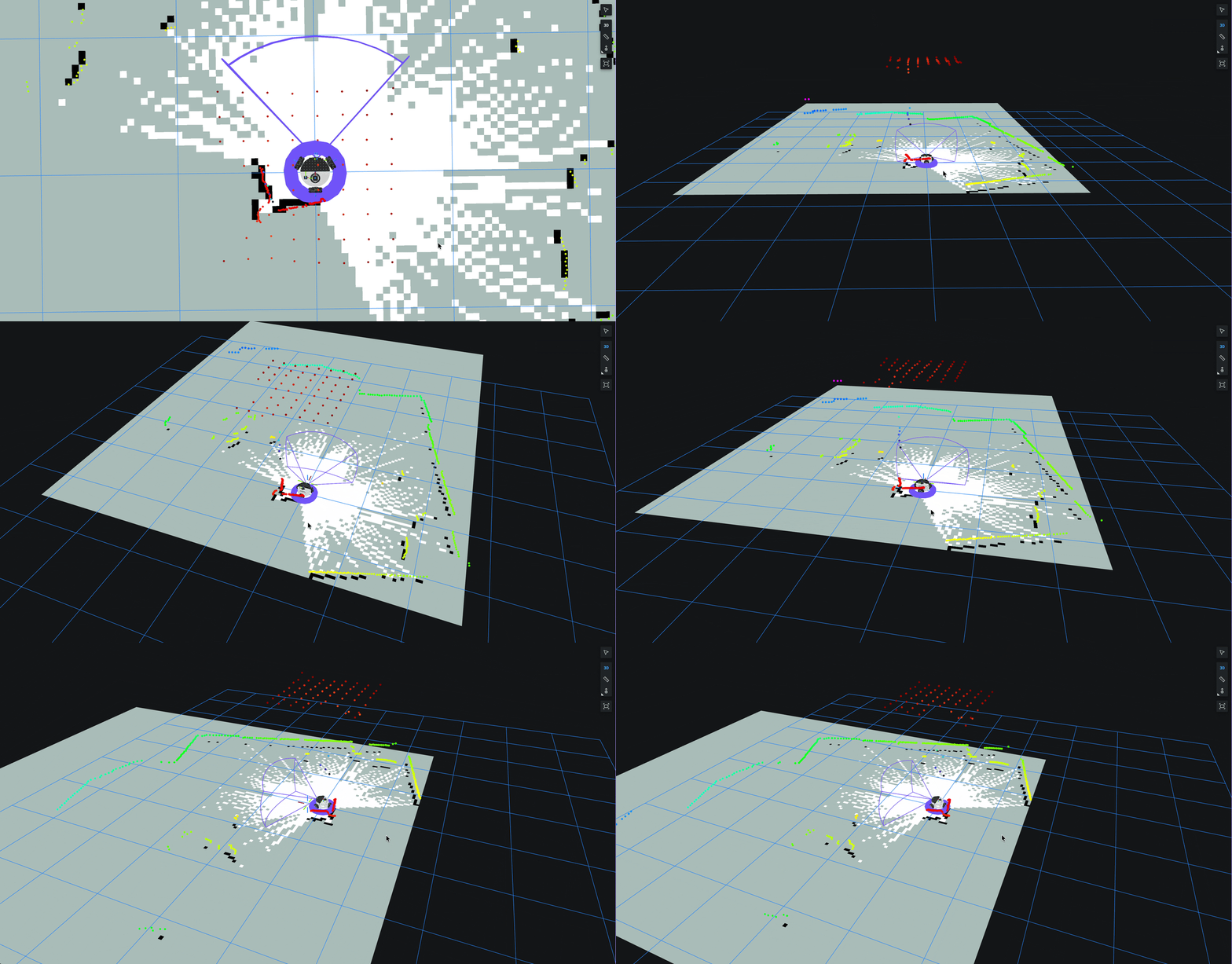
Honestly, I don't have a real use-case for this sensor, but I have some ideas to try later: it could tell when LeKiwi is driving under a table, pick out features on the docking station as the robot backs in, or even recognize gestures from above. For now, it's an extra lightweight pointcloud that costs almost nothing to keep around.
Modular hardware, modular software
The tray and the swappable plate made me realize that the hardware had become modular while the software was still hard-wired to one particular LeKiwi. The pan-tilt had been a separate payload that the launch files and the robot description both knew about, and every change meant touching several files. Saga Robotics' keynote at ROSCon UK made the same point: the same modules, combined into different robots and quick to fix in the field.
So I reorganized lekiwi_ros2 the same way. The robot is now described in one small file, hardware.yaml, with a switch for each assembly: the LiDAR, the IMU, the battery monitor, the Raspberry Pi case, the ReSpeaker Flex, the ToF sensor, the Gemini 2, and the tray. You edit the file and launch as usual, and the same file decides what gets launched, what ends up in the robot description, and what appears in the MuJoCo model. Some switches have consequences: without a LiDAR there is no SLAM or Nav2, and without the IMU you launch with fusion_mode:=odom, and the robot navigates on wheel odometry alone.
The tests cover each switch on its own, but I haven't tried every combination on the real robot, so expect rough edges. Taking the pan-tilt out was a small change instead of a rewrite, and the ToF sensor in the next section took a switch and a launch file.
What's next?
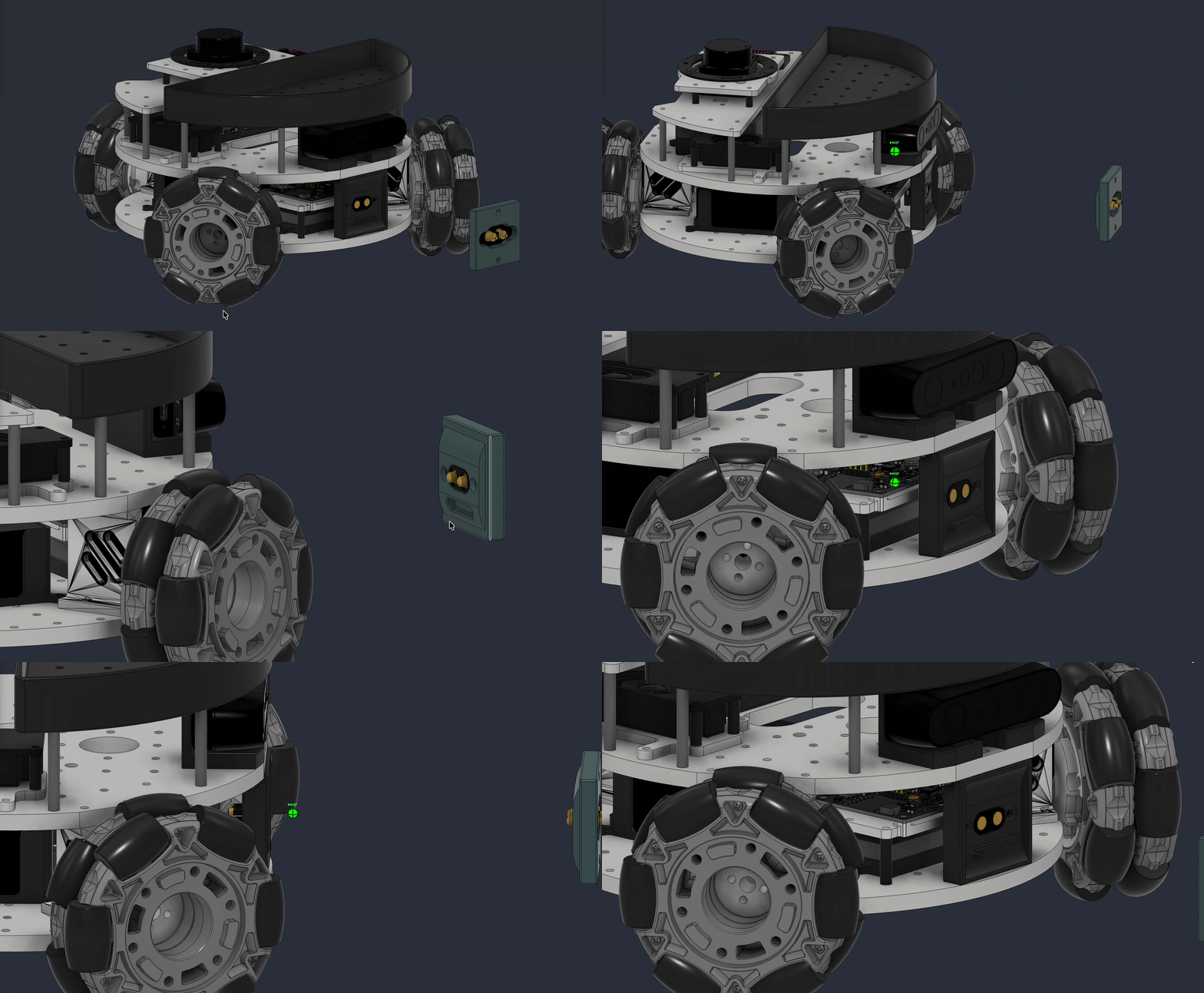
It's finally time to design a docking station for LeKiwi, inspired by a blog post by Hello Robot about their Stretch docking station. Now that LeKiwi has a fixed, front-facing camera, it's something I can actually do (it would have been possible with the camera on the pan-tilt, but a lot more work). It's a work in progress, so there's not much to show yet, but I've settled on the connector. I started with a cheap magnetic pair for prototyping, but the magnets were so strong that the robot could pull the dock off the wall when undocking. I then found a British company called Coda Systems that makes spring-loaded connectors, including magnetic cases around them, and chose the SD-ULTRA-2, a two-pin connector rated for up to 12 A that comes as a flat contact side and a spring-loaded side. At the time of writing, a pair costs about £9.47 excluding VAT.
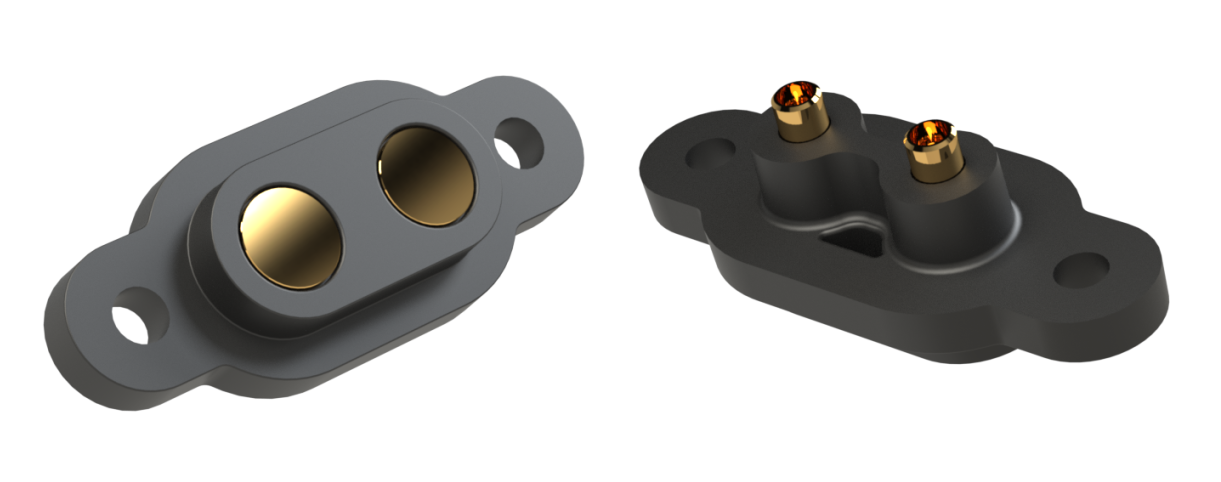
I've designed robot-side and dock-side mounts around these connectors that align and mate the robot to the dock, and I have CAD models of both. The dock-side mount attaches to the docking station itself, which I haven't modeled yet. The station will have fiducial markers and an identifiable shape so the LiDAR can detect it too. Still to do: the station itself, the electronics on both sides (preventing shorts and back-EMF, and detecting when the robot is connected and charging), and then the software.
Beyond the dock, I'm also working on integrating the SO-101 (based on my so_arm_ros2 package) into the lekiwi_ros2 stack, which is the original use-case for the LeKiwi - a mobile manipulator. That is separate from the Open-RMF demo, where the SO-101 stays fixed and works alongside LeKiwi as a second robot. More on both of these topics in the upcoming posts.
The code for all of this lives in lekiwi_ros2 and its submodules: ina260_battery_monitor and tof_imager_ros - some of them are works in progress, so expect breaking changes once in a while. As always, feedback and contributions are welcome. More on the docking station and the SO-101 integration in upcoming posts.
About the author
- Generalist engineer, specializing in robotics, embedded systems, and mechatronics.
Comments
Join the discussionThe power story is the part that holds the upgrades together. The OAK-D S2 on the pan-tilt could brown out the Raspberry Pi 5 over USB even after features were cut and frame rates reduced, and the README advice to enable usb_max_current_enable — raising the cap from 600 mA to 1200 mA — was not a footnote here; it was the failure the post describes living with. The Gemini 2, quoted below 2.5 W, still needed the Pi's full USB current on a 5 V / 5 A supply and a lower IR projector setting, and the onboard processing was left behind because navigation already runs on the Pi. Choosing the INA260 over a 3.2 A board, because stalled motors can add up quickly, and placing it in series on the battery's positive line so one signed reading is net current, is a similarly concrete trade-off. Fixing the camera forward and stopping the tray just below the LiDAR scan plane, then describing the robot in one hardware.yaml file with a switch per assembly, is how the software starts to match hardware that can already be swapped.