
Under the Hood: LeKiwi's Joystick Controls
Implementing a ROS 2 service-based button control architecture for LeKiwi

The last few months, I've been writing mostly for the Foxglove blog, and it is good fun, but it does mean my own blog has been neglected. Well, it's not because I haven't had the time to write, I've been busy just enjoying the summer break. I'm in Europe after all, and it's also World Cup season, and this doesn't exactly inspire sitting at a desk writing blog posts. Now that things have calmed down a bit - the temperature is once again in the high-20s, the World Cup is nearly done, and the day job is slowing down for the summer, I finally have some time to write for myself again.
Fair warning: this one is going to be more technical than usual. It's a deep dive into some architectural decisions I made while building out LeKiwi's control layer - the reasoning behind them, the tradeoffs I considered, and the places where I deviated from standard ROS 2 patterns. If you're just here for a demo video or a step-by-step guide, you're out of luck. But if you want to understand why things are built the way they are, read on.
This is part of my ongoing series on building an autonomous mobile robot with the LeKiwi platform. The previous posts covered hardware upgrades, sensor calibration, and autonomous navigation. This one is about something more foundational to how I actually control the robot day-to-day: a service-based control architecture that works equally well from a Steam Deck or from Foxglove, and a wrapper node I had to write to make the joystick controls work the way I wanted.
Service-based Control Architecture
The most common method to control a ROS 2 robot with a joystick is to use teleop_twist_joy. It maps joystick axes to a Twist message and publishes it to /cmd_vel, with an optional deadman button. For simply moving the robot using a joystick, that's all you need. But LeKiwi doesn't use teleop_twist_joy, and the reason comes down to where the button logic lives.
With AKROS, I used teleop_twist_joy like everyone else. I also had other features on AKROS that were triggered by joystick inputs, which I handled with a custom node that subscribed to Joy messages, read the relevant button states, and triggered features like state change or motor halt directly.
That approach had a structural problem: it coupled every feature to the joystick. If a node subscribed to /joy to drive its own behavior, the only way to reach it is through a joystick, either physical or simulated. And it is difficult to scale either. If I added a new feature that needed a button press, I had to either touch the feature node itself or add a new node that subscribed to /joy.
It wasn't that straightforward to trigger these features from Foxglove either. I could have configured it to simulate my joystick mapping and produce fake /joy messages when digital buttons were pressed, but it was too much work at the time, and I also did not have AI tools at my disposal as I do now. The result was that the joystick features were only accessible from a physical joystick, which wasn't ideal for a robot that I wanted to be able to control from my laptop as well.
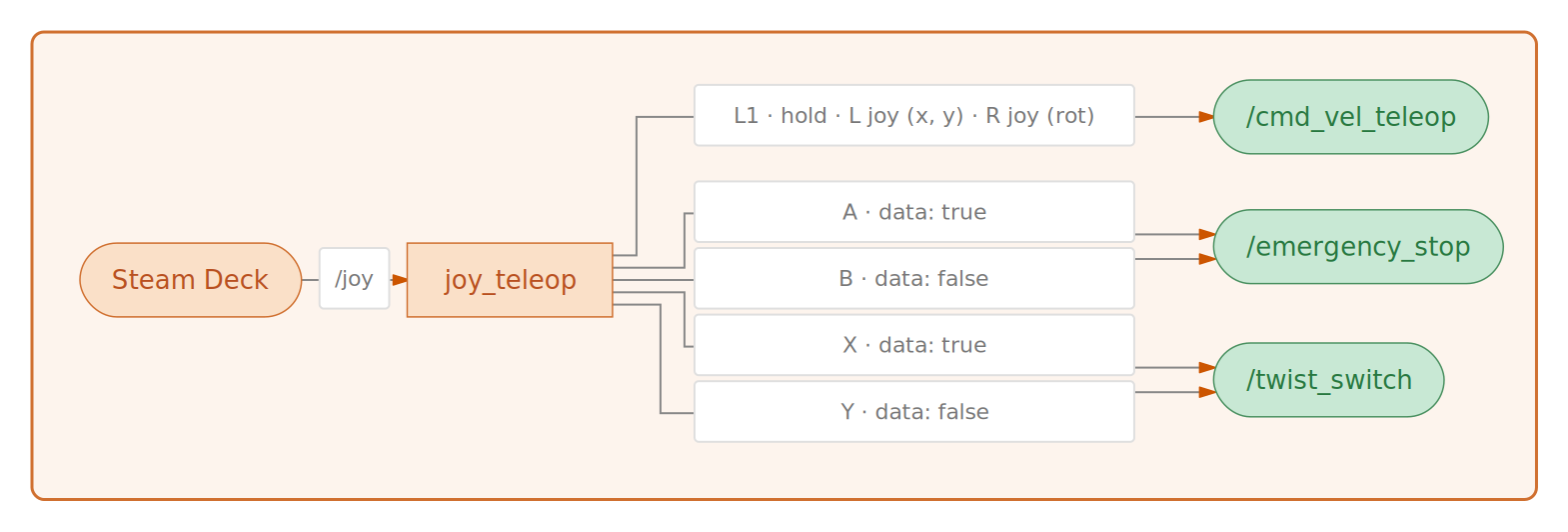
For LeKiwi, I went the other way: every non-teleop, button-based feature is a ROS 2 service. /emergency_stop (implemented as a first-class feature in sts_hardware_interface) , /twist_switch (implemented in the twist_switch_node in lekiwi_ros2), future waypoint-related features - all std_srvs/srv/SetBool services. Like I explained in my Nav2 post, /twist_switch is the node that selects which velocity stream reaches the motors: data: false routes joystick commands through, data: true hands control to Nav2.
The advantage here is that I now need a single node to simply read /joy and call the right service with the right payload. Additionally, I can trigger services from anywhere, so it does not depend on a physical joystick; the caller can be Foxglove, a CLI, or another node. The feature implementations themselves don't need to know or care how they are being called. Besides the single node, I would still need teleop_twist_joy to map the joystick axes to a Twist message, but that is not ideal.
This is where joy_teleop comes in. It's a ROS 2 node that subscribes to /joy and calls services or publishes topics based on a configuration file. It can handle multiple buttons, deadman buttons, and even axis mappings for Twist messages. The configuration is centralized, so adding a new feature or changing button assignments doesn't require touching the feature nodes themselves. The initial teleop.yaml config looked something like this:
joy_teleop:
  ros__parameters:
    teleop:
      type: topic
      interface_type: geometry_msgs/msg/TwistStamped
      topic_name: /cmd_vel_teleop
      deadman_buttons: [9]  # L1
      axis_mappings:
        twist-linear-x:
          axis: 1  # Left stick vertical
          scale: 0.2
          offset: 0.0
        twist-linear-y:
          axis: 0  # Left stick horizontal
          scale: 0.17
          offset: 0.0
        twist-angular-z:
          axis: 2  # Right stick horizontal
          scale: 0.68
          offset: 0.0
        header-frame_id:
          value: 'base_link'

    estop_press:
      type: service
      interface_type: std_srvs/srv/SetBool
      service_name: /emergency_stop
      service_request:
        data: true
      buttons: [0]  # A

    estop_release:
      type: service
      interface_type: std_srvs/srv/SetBool
      service_name: /emergency_stop
      service_request:
        data: false
      buttons: [1]  # B

    mode_nav2:
      type: service
      interface_type: std_srvs/srv/SetBool
      service_name: /twist_switch
      service_request:
        data: true
      buttons: [2]  # X

    mode_teleop:
      type: service
      interface_type: std_srvs/srv/SetBool
      service_name: /twist_switch
      service_request:
        data: false
      buttons: [3]  # Y
I refer to it as the 'initial' config because it has changed slightly since then, and I will explain more in the upcoming sections.
Foxglove and the Button extension
This is where the services approach pays off most visibly. As I've explained in the LeKiwi series, I am using the Raspberry Pi on the LeKiwi in headless mode and without any desktop environment. To control it from my laptop, I use Foxglove for both visualization and control. Foxglove has a Service Call panel that I can use to trigger any of the services from my laptop without needing a joystick. To make things even easier, I can use my custom Button extension (which is available on the Foxglove extension registry, directly from the app) to create a button for each service, so I can trigger topic publishers or service calls with a single click.
The service-based architecture also means all callers can reach the services using multiple methods: joy_teleop via button bindings, Foxglove's Service Call panel, my custom Button extension, a CLI, or another node - the robot doesn't care. The button assignments all live in one place, and adding a new caller never requires touching the feature node itself.
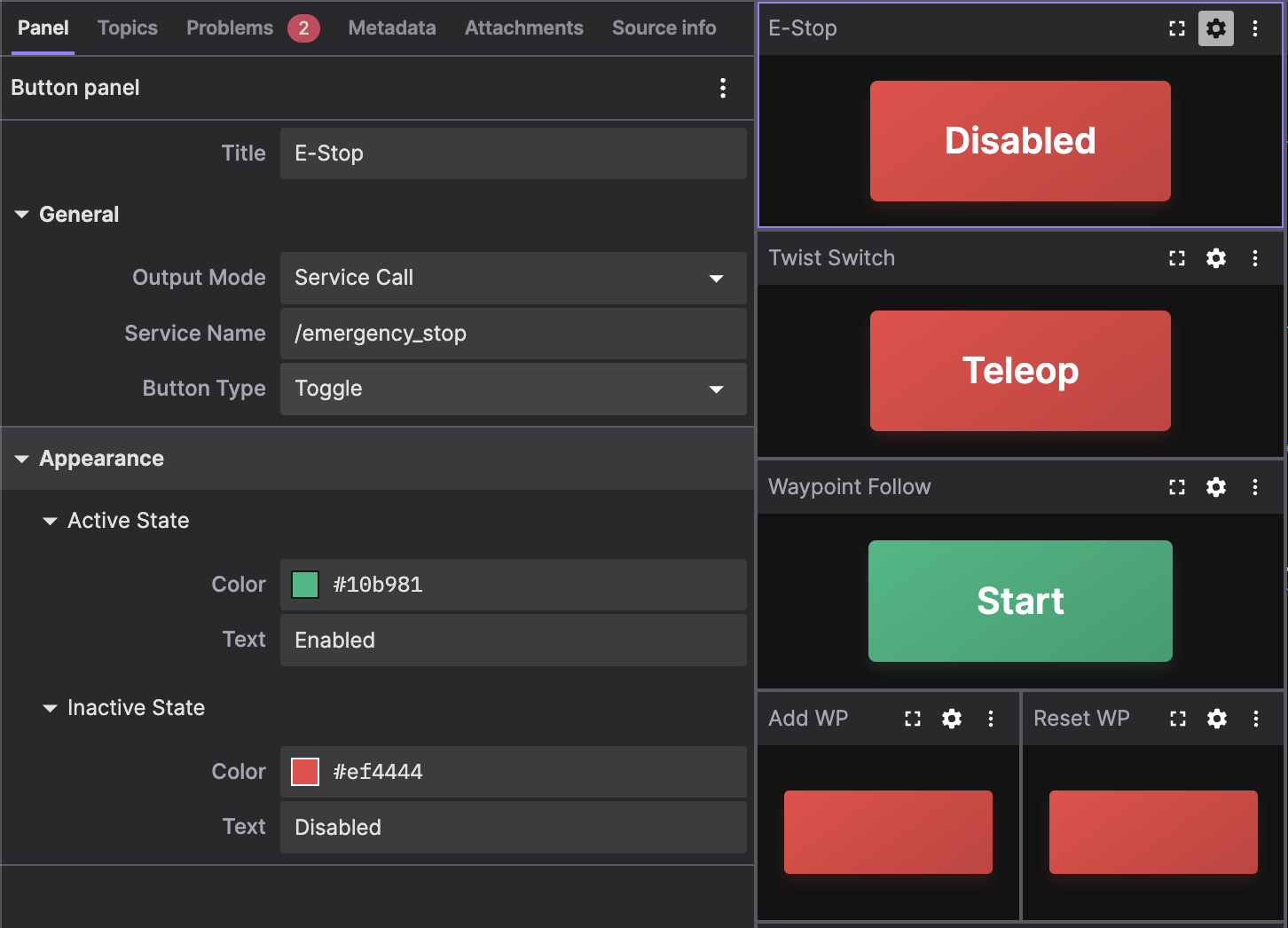
The Button extension is also designed to handle SetBool with a single button. In push mode, pressing calls the service with data: true and releasing calls it with data: false. In toggle mode, each click alternates between the two. Either way, one button is enough - the extension manages the value itself. Foxglove already didn't have this problem. I've written about this extension extensively in an earlier blog post, which is worth reading if you want to understand how it works.
Two buttons per action
As I kept adding features, the main limitation of joy_teleop became obvious: joy_teleop doesn't track state between button presses. Each service binding has a fixed payload configured in teleop.yaml, and every press sends exactly that payload - same value every time, no memory of what the last press did. Stateless by design.
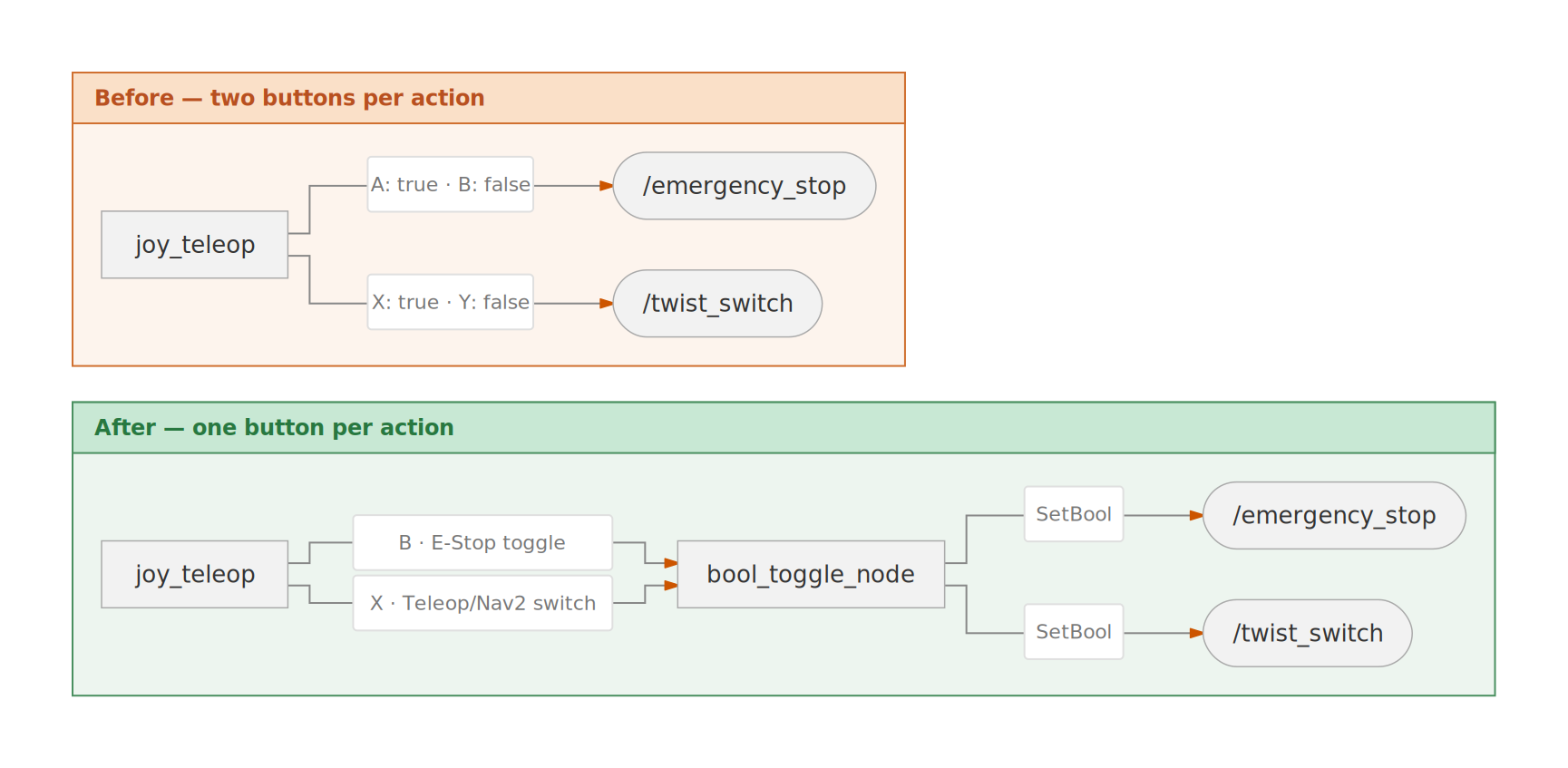
This means that the SetBool mapping requires two buttons per service: one for data: true, one for data: false. Initially, this was fine - I had two SetBool services, /emergency_stop and /twist_switch, and four face buttons. A to engage the e-stop, B to release it, X to switch to Nav2 mode, Y to switch back to teleop. Four bindings, four buttons, perfect fit.
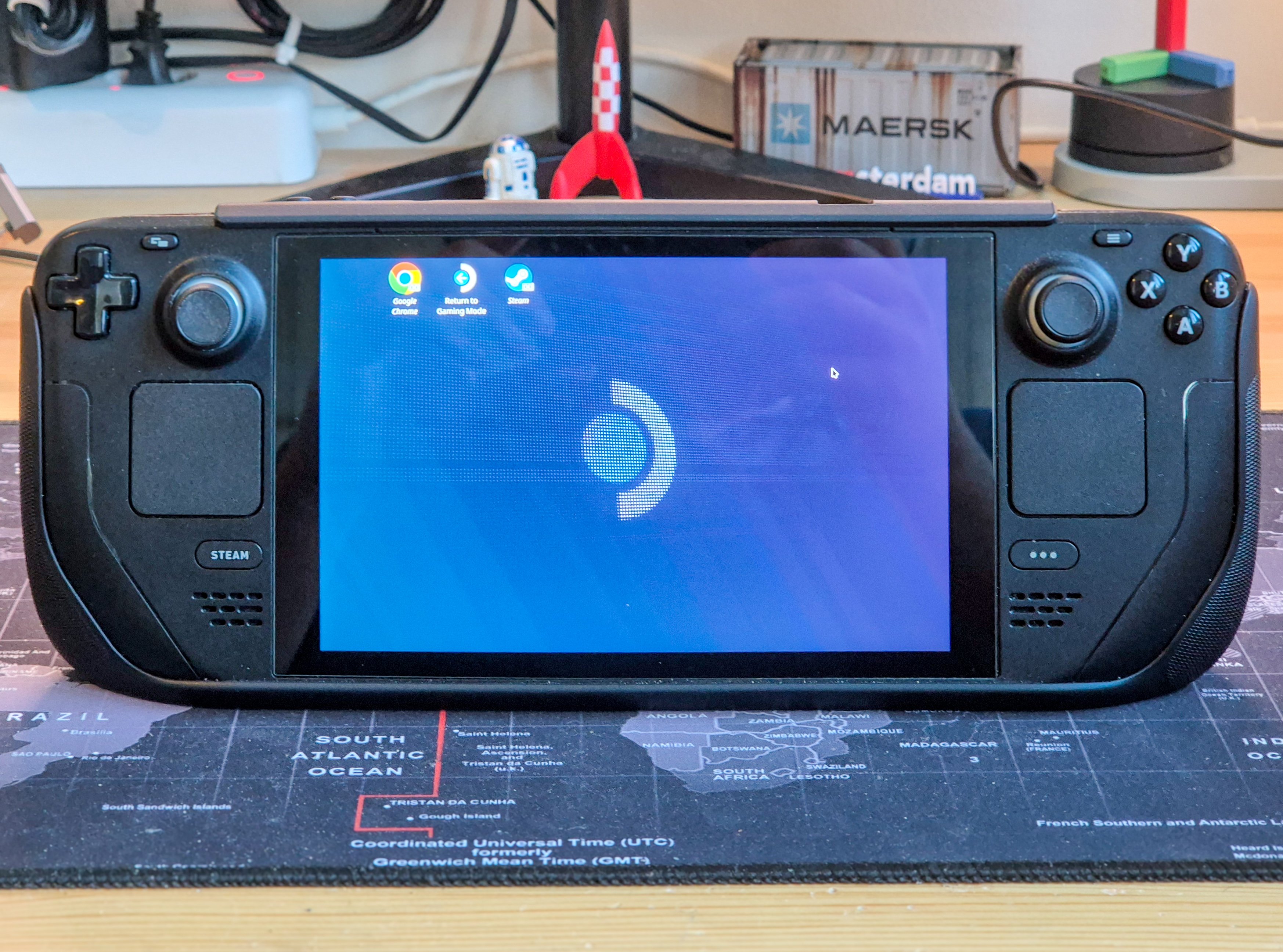
Then I added waypoint navigation. That meant at minimum: start the patrol, stop the patrol, record a waypoint, reset the waypoints - 4 buttons in total. I had only one button left - the Settings button, not even a face button. The option was to either give up on the new features or to redesign all of my feature nodes to be std_srvs/srv/Trigger services (which need a single input to toggle between states) instead of SetBool services. First of all, this meant a lot of work, both on refactoring the feature nodes and updating the Button extension to call Trigger services.
I didn't want to do that, because the idempotency of SetBool is actually useful for some features. For example, calling /emergency_stop with data: true multiple times doesn't make a difference; the motors stay stopped. If it were a stateful Trigger instead, a duplicate press from a jittery controller or a network retry could silently re-enable the motors at exactly the wrong moment. The predictable, stateless behavior is the whole point.
Also, I'm lazy. As I mentioned earlier, it's summer, the World Cup was on, and most importantly, I have a day job. I also didn't want to delegate this major refactoring to AI. So, I had to get creative.
The solution: bool_toggle_node
So I ended up writing bool_toggle_node — a thin wrapper that sits between joy_teleop and the SetBool services. Okay, I'll be honest, I had Claude write it for me, but I did the design and testing. It takes a list of SetBool services and exposes a corresponding list of Trigger services. When a Trigger fires, bool_toggle_node flips an internal boolean and calls the corresponding SetBool service with the new value — so joy_teleop gets one button per action, alternating between enable and disable on each press. The best part is that the feature nodes themselves are untouched, and the Button extension can still call the SetBool services directly without going through the bool_toggle_node layer, which is `joy_teleop '- specific.
The teleop.yaml config now includes a section for bool_toggle_node which looks like this:
bool_toggle_node:
  ros__parameters:
    toggles: ["emergency_stop", "twist_switch"]
    emergency_stop:
      trigger_service: /emergency_stop_toggle
      target_service: /emergency_stop
      initial_state: false
    twist_switch:
      trigger_service: /twist_switch_toggle
      target_service: /twist_switch
      initial_state: false
The rest of teleop.yaml describing the joy_teleop bindings are now updated to look like this:
    estop_toggle:
      type: service
      interface_type: std_srvs/srv/Trigger
      service_name: /emergency_stop_toggle
      buttons: [1]  # B

    twist_switch_toggle:
      type: service
      interface_type: std_srvs/srv/Trigger
      service_name: /twist_switch_toggle
      buttons: [2]  # X

    save_map:
      type: service
      interface_type: std_srvs/srv/SetBool
      service_name: /save_map
      service_request:
        data: true
      buttons: [4]  # Screenshot
So now, if I press B, joy_teleop calls /emergency_stop_toggle, which flips the internal state in bool_toggle_node and calls /emergency_stop, stopping the robot. Press B again, and the emergency stop is released. Same for X and /twist_switch, press once to enable autonomous mode, press X again for teleoperation. The remaining face buttons A and Y are now free for the waypoint features.
/save_map is a service implemented in the map_saver_node that saves the current map to disk. In my first Nav2 post, I subscribed to /joy to save the map, but I decided to change it to a service for consistency. The screenshot button on the Steam Deck, which now saves the map, is still a one-shot action and calls /save_map directly.
From Foxglove, nothing changes. The Button extension still calls /emergency_stop directly — a single button in push or toggle mode, the extension itself handles sending data: true and data: false. The bool_toggle_node Trigger layer is a joy_teleop-specific solution; Foxglove never needed it. The underlying SetBool services are untouched.
A couple of implementation details are worth mentioning. Each toggle's SetBool client uses a ReentrantCallbackGroup — rclpy's default MutuallyExclusiveCallbackGroup blocks the executor while a callback is running, so asynchronous calls inside a Trigger handler would wait forever for a response that can never arrive. The ReentrantCallbackGroup lets the executor re-enter and deliver the reply while the handler is suspended. The state flip only commits once the target service responds, so if /emergency_stop is unreachable, the toggle's belief doesn't drift.
One caveat: SetBool has no getter, so each toggle's state initializes from initial_state during launch rather than being queried from the actual service. If something calls a target service directly and bypasses the toggle node, the toggle's belief can drift. Not a problem in practice since I'm either using the Steam Deck (which goes through the toggle node) or the Foxglove Button extension (which calls the target service directly), and I'm not mixing the two. I intend to fix this in the future, but for now it's a known limitation.
What's next?
With this toggle infrastructure in place, I now have a few free buttons on the Steam Deck to implement new features - A, Y, and the screenshot button. I also have the R1 button free, which I've also used in an upcoming feature. I've actually already implemented these new features, but I will save the details for an upcoming post on Foxglove's blog. The new features are all related to waypoint navigation, and the post will cover how I implemented them, the challenges I faced, and how I overcame them.
The LeKiwi build is now nearly complete. I have plans to add a battery monitor and a docking station, but I'm still researching off-the-shelf solutions for both. I'm also facing an issue with my OAK-D S2 camera, which, despite being an amazing camera, draws way too much power from the Raspberry Pi, leading to crashes at run-time. I intend to replace it with a more power-efficient depth camera, and I have an option in mind, and I'm currently in talks to get a sponsored unit. More on this in a future post.
Alongside designing and researching solutions for the docking station, I want to move on to a few new projects. First, the SO-101 robot arm, which I've already assembled. The ROS 2 Physical AI Special Interest Group has a ROS 2 package for the SO-101 as well as a few ready-to-run examples on their GitHub, so that's my starting point.
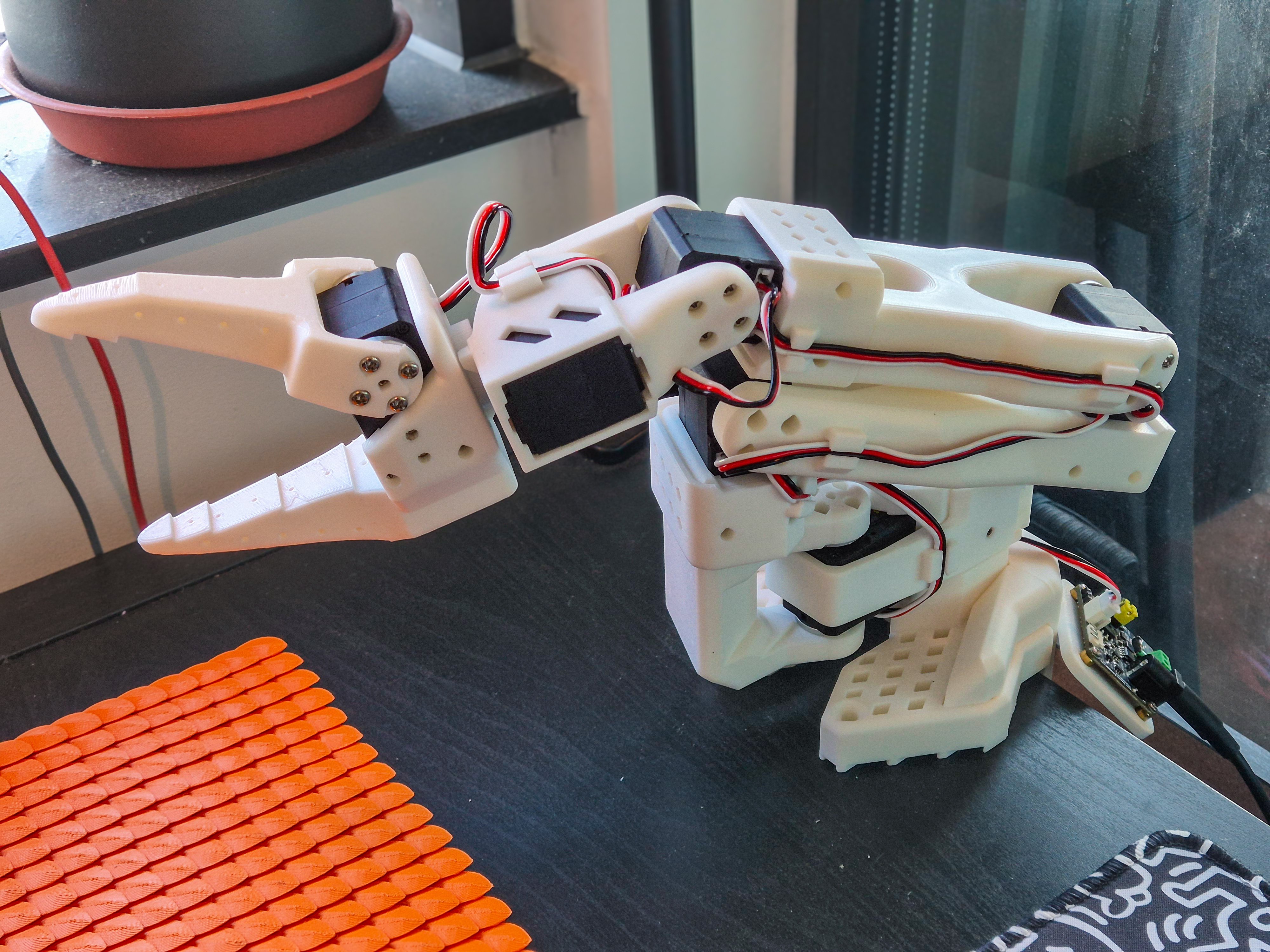
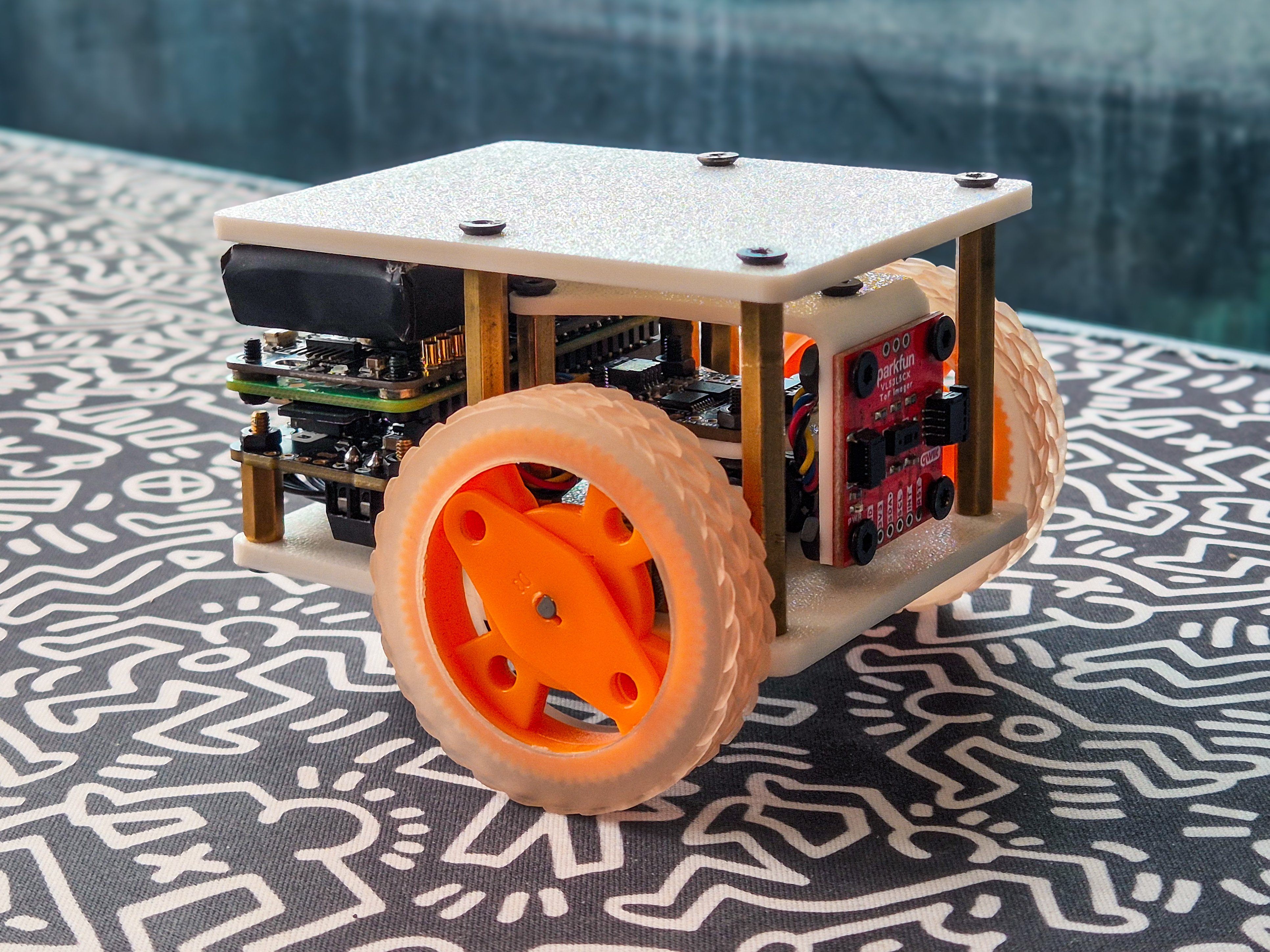
Next, I've put together a small differential drive robot with an RPi Zero 2W, and I want to try vibe-coding the entire software stack for it — no writing or reading code myself. I just threw together some parts I had and have no real plans for it, but if I do something cool with it, I'll surely write a blog post.
Finally, as the LeKiwi build is coming to an end, I want to start adding some documentation to the GitHub repository, so that others can build their own and reproduce my results without having to go through my blog post ramblings. For now, the lekiwi_ros2 repo holds the full implementation, but be warned that it is still actively in development, so expect breaking changes. As always, feedback and contributions are welcome.